

Wireless Smart Button Dimmer Switch | Tapo S200D

Hub Required Sub-1GHz Long Range CR2032 Battery
Prix de vente$22.99 Prix normal$29.99

Taxes exclues Frais d'envoi calculés à la caisse


  • Tapo Hub & Sub-1G Protocol Required
  • 4-Way Personal Control Actions
  • Wireless Remote Dimming Switch
  • Smart Doorbell Button Function
  • 64-Device Hub & Offline Automation
En stock
🚚 Delivery time: Calculating...
  • Tracking status may only update after the order is processed at the carrier facility.
  • Weekends may affect shipping and delivery.
<p>Gagnez%20[points_amount]%20lorsque%20vous%20achetez%20cet%20article.</p>
Buy now
Secured Shopping
American Express
Apple Pay
Diners Club
Discover
Google Pay
Mastercard
Shop Pay
Visa

Shipping from Canada

  • Free Shipping for Orders Over CAD 200
  • 30-Day No Reason Return Policy
  • Local English/French Customer Service
  • 2 Years Warranty
  • Tapo Hub & Sub-1G Protocol Required: Requires a Tapo Hub H100 and a 2.4 GHz Wi-Fi network. Uses Sub-1G Low-Power Wireless protocol to connect to the hub, extending battery life and expanding coverage range compared to.
  • 4-Way Personal Control Actions: Configures distinct hardware actions via single tap, double tap, and rotation control inputs. Allows one physical wireless smart button to initiate multiple custom automated actions across devices.
  • Wireless Remote Dimming Switch: Functions as a physical wall switch or roaming remote control. Rotates manually to adjust lumen percentages and illumination parameters across linked Tapo ecosystem lighting products.
  • Smart Doorbell Button Function: Syncs directly with the Tapo Hub H100 to operate as a physical doorbell. Triggers the hub's built-in 90dB ringer with an option to select from 19 distinct localized ringtone options.
  • 64-Device Hub & Offline Automation: The required Tapo Hub connects up to 64 devices simultaneously. Enables local Smart Action automation scripts to execute and remain responsive across sensors even if the internet network disconnects.

NETWORK

System Requirements iOS 10+, Android 5.0+
Standards and Protocols 868Mhz / 922MHz

SYSTEM

Hub Required Yes

GENERAL

Operating Temperature 0~40°C
Dimensions( H X W X D ) 86 × 86 × 23.7 mm
Power Requirements CR2032 Battery
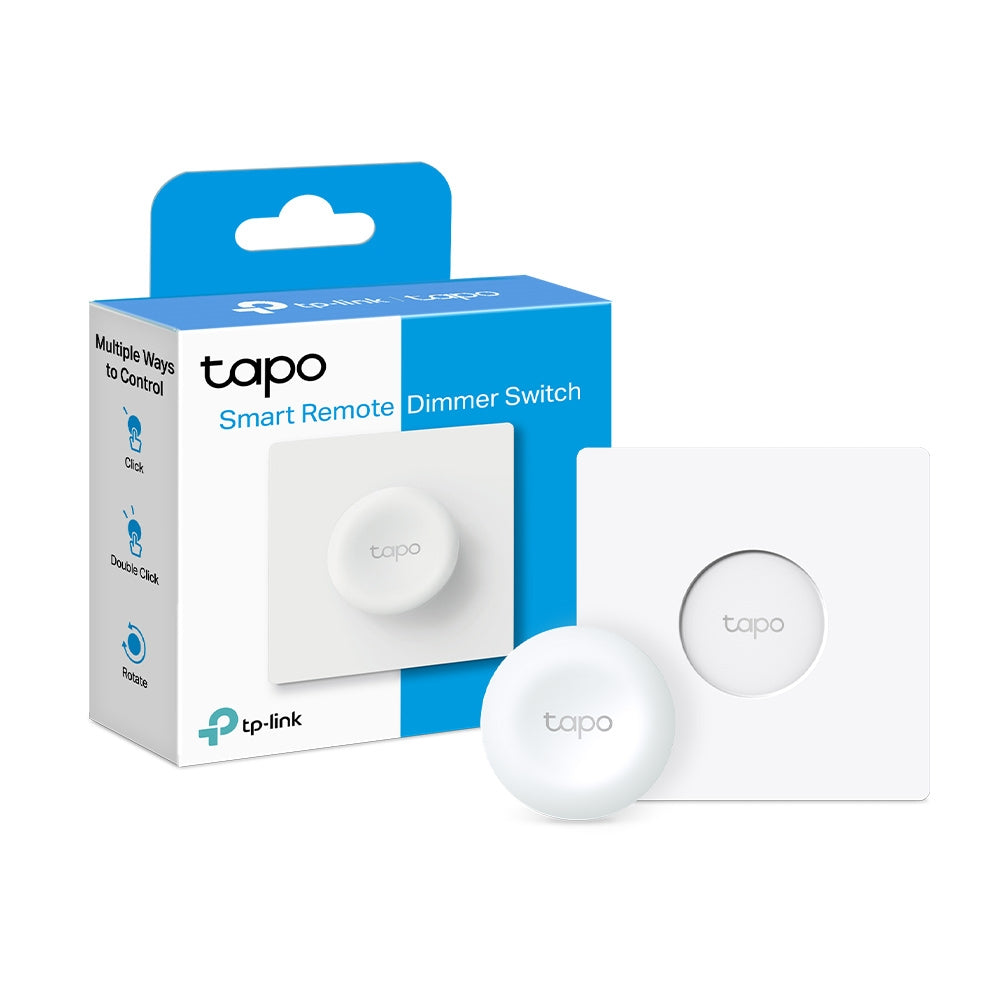
  • Tapo S200D× 1
  • Wall Plate× 1
  • CR2032 Battery× 1
  • Anti-slip Tape× 1
  • Double-sided Tape× 1
  • Quick Start Guide
Wireless Smart Button Dimmer Switch | Tapo S200D
$22.99 $29.99
Order now

Handy Control Over
Your Smart Lighting

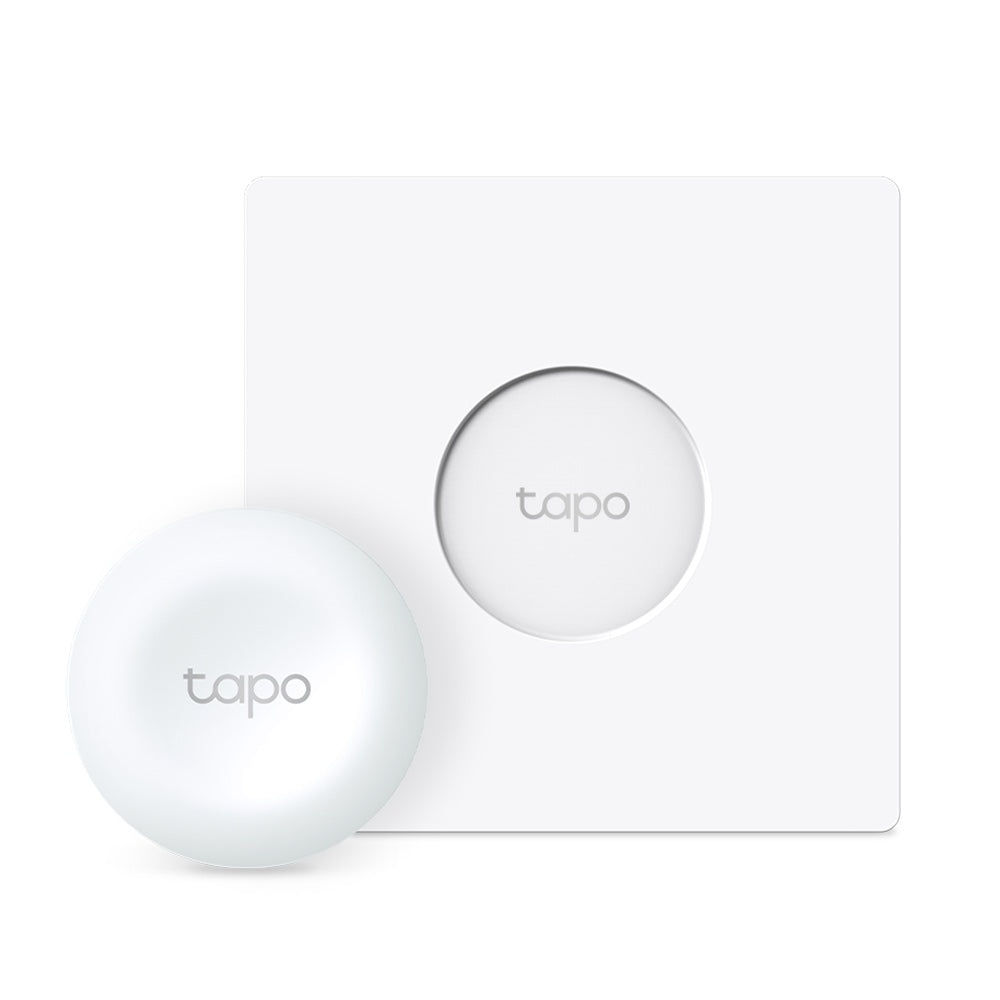
Tapo Smart Remote Dimmer Switch

Tapo S200D

*Tapo Hub Required

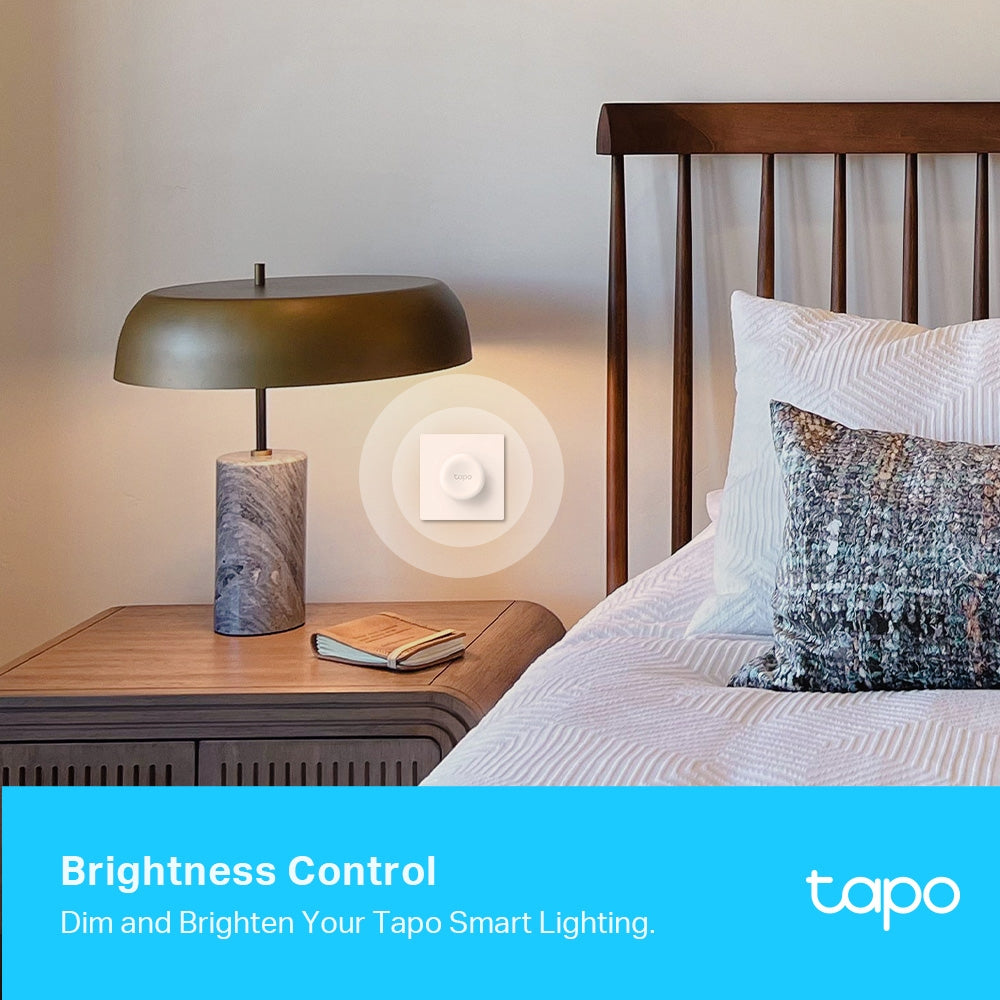
Brightness Control

Instant Wireless Control

Flexible Mounting

Adhesive

Magnetic

Screws

Customized Functions

Personalized Lighting Scenes

Dimming

Shifts the Lighting Effect

Multi-Location Control

Turns On/Off

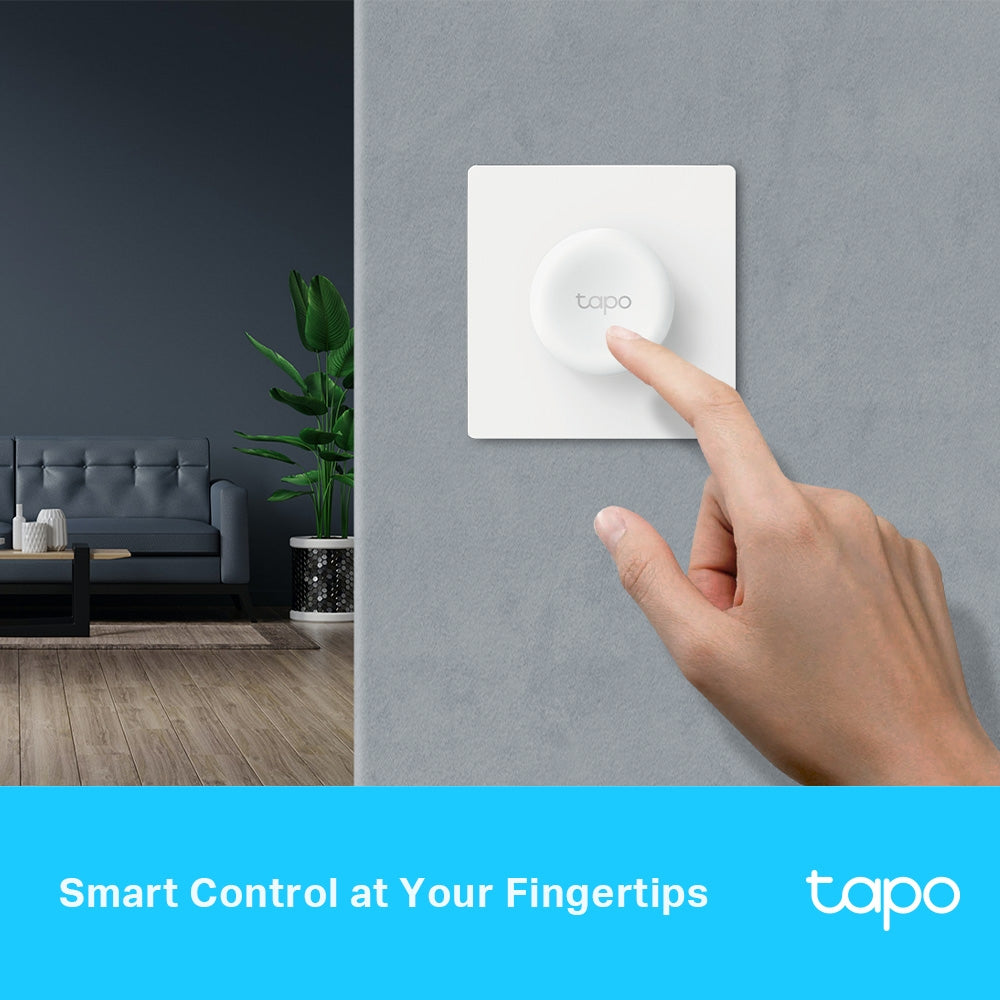
Smart Control at Your Fingertips

Tapo S200D adds local instant control to your smart lights, simplifying how you control home illumination. Share it with your family members or guests to set the perfect light ambiance for their mood. Don’t bother opening up an app.

Multi-Location Dimming

Control your smart light from multiple locations with more than one dimmer switch. This way, your single-pole dimmer turns into a 3-way or even 4-way dimmer without rewiring.

Ideal for living rooms, halls, and stairways.

Personalized Lighting Scenes

Easily design scenarios for your daily routine or special activities by customizing brightness. Trigger a preset scene to control multiple lights in just one or two taps.

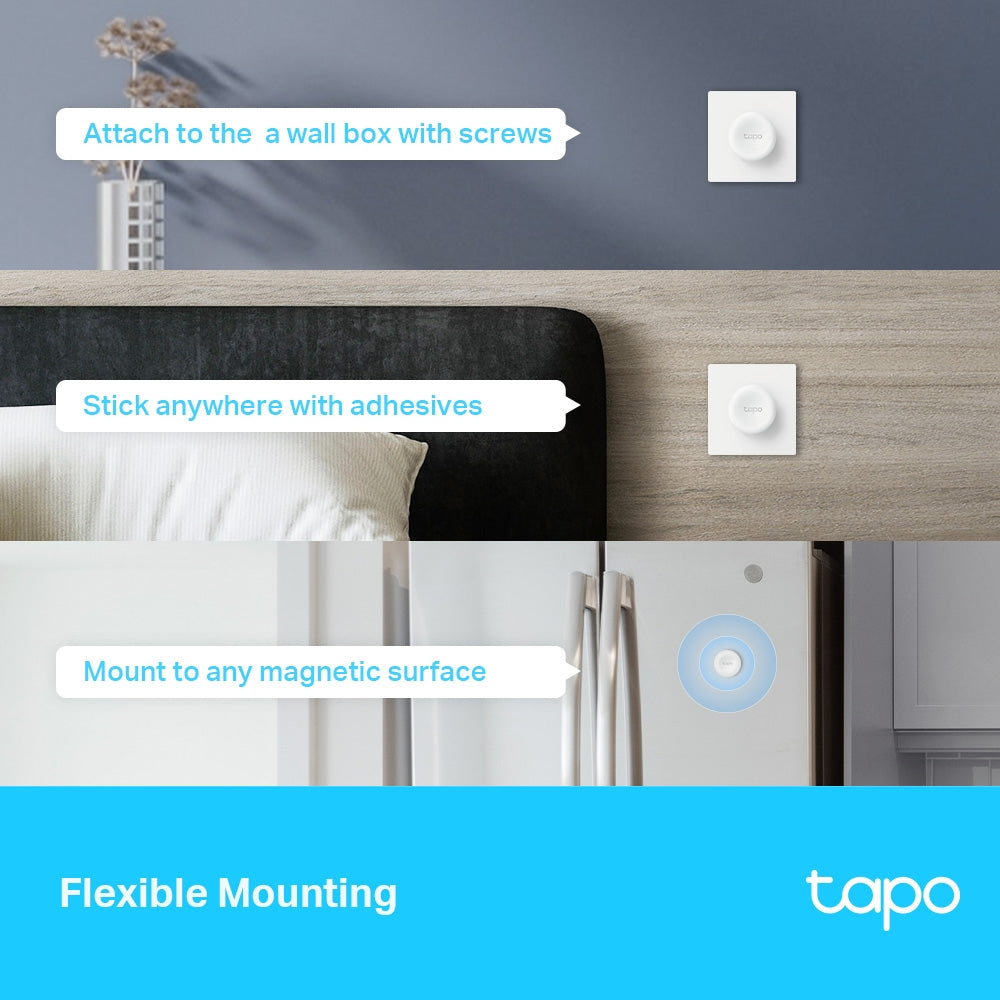
Flexible Mounting

Replace your old wall plate with the included screws, or stick the button anywhere with the provided adhesives. You can also attach the switch without a wall plate on any magnetic surface. Place it wherever you want, and your lighting controls are always within reach.

Reliable and Versatile

Over 1 Year of Battery Life

The Smart Button uses one of the most common CR2032 coin cell batteries, supporting a battery life of over one year.

Works with the Tapo Hub

Connect Tapo S200D to the Tapo Hub to unlock more versatile settings for Tapo smart lights (Hub sold separately).

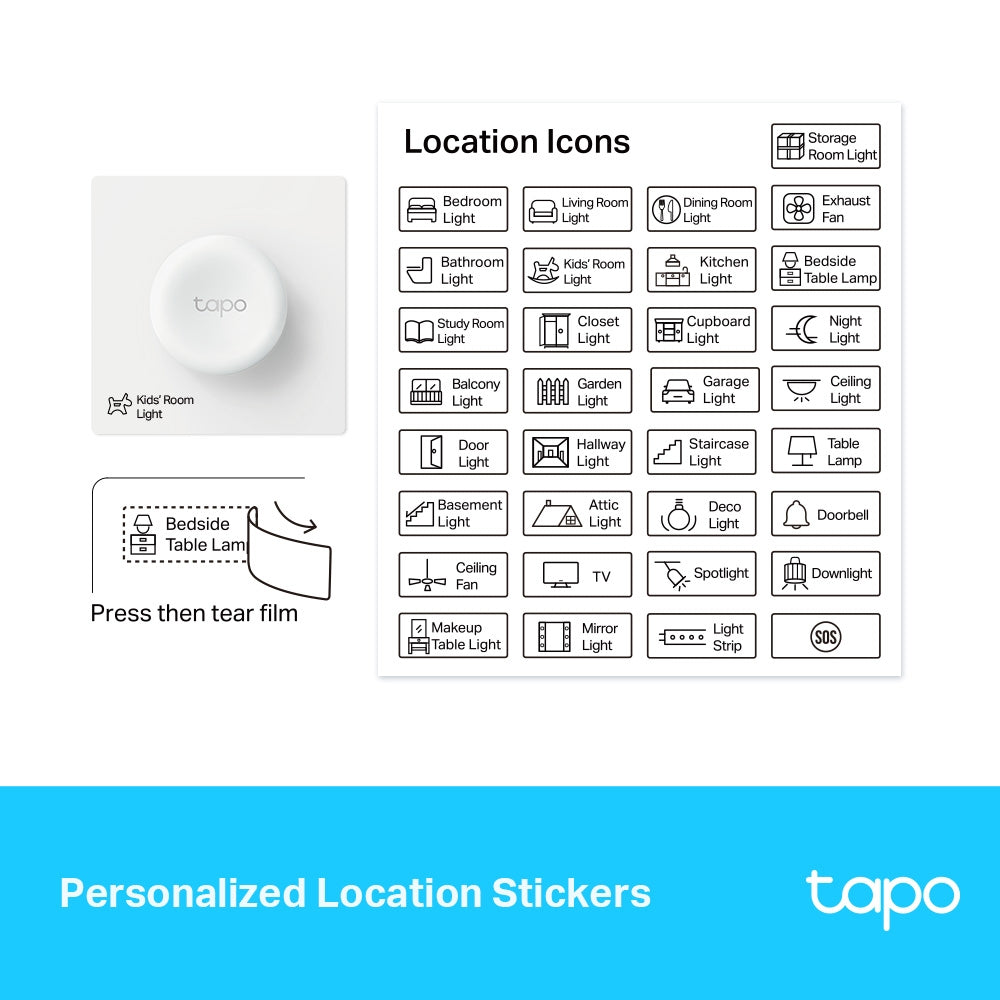
Personalized Location Stickers

Use the included customized label stickers to meet your aesthetic and practical needs.

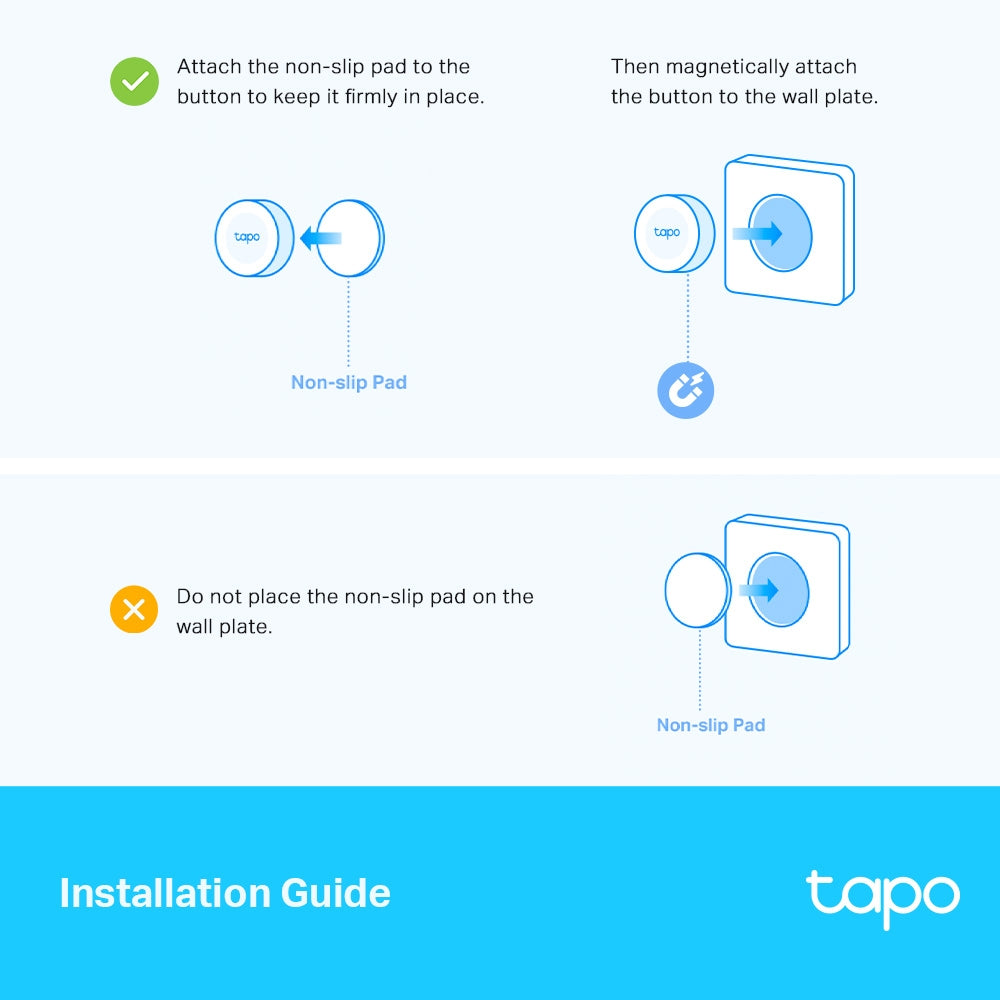
Installation Guide

  •  

    Attach the non-slip pad to the button to keep it firmly in place.

    Non-slip Pad


    Then magnetically attach the button to the wall plate.

  •  

    Do not place the non-slip pad on the wall plate.

    Non-slip Pad

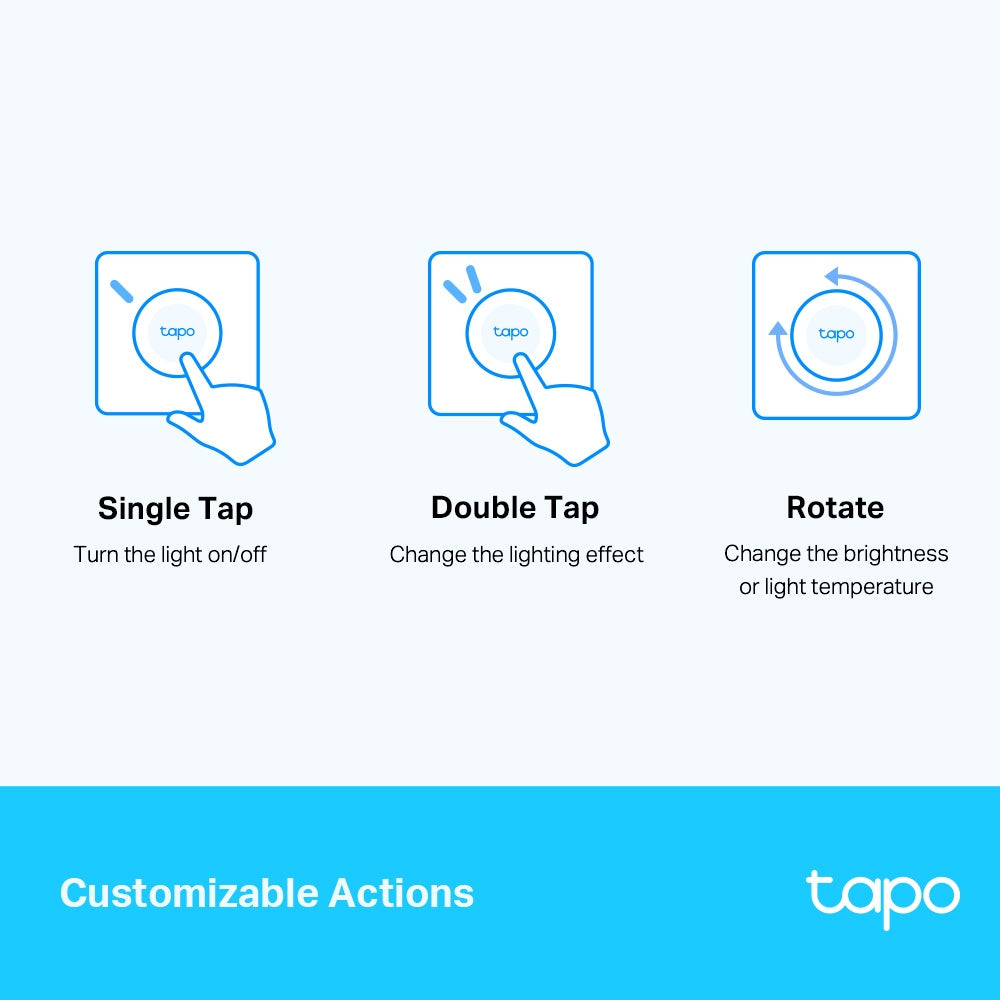
Customizable Actions

Use the Tapo app to define what a single tap, double tap, and rotation trigger based on your personalized needs. Just spark your imagination.

  •  

    Single Tap

    Turn the light on/off

  •  

    Double Tap

    Change the lighting effect

  •  

    Rotate

    Change the brightness or light temperature

<p>Gagnez%20[points_amount]%20lorsque%20vous%20achetez%20cet%20article.</p>
  • 5 stars: 10 (67%)
  • 4 stars: 5 (33%)
  • 3 stars: 0 (0%)
  • 2 stars: 0 (0%)
  • 1 star: 0 (0%)
K
Kaelos

We have to use these for our smart switches, because we cannot install the wired switches at our place. I like how easy they are to connect to the smart home system through the Tapo app and Alexa. You can assign them to control single or multiple devices at one time, like a set of bulbs, or bulbs and a plug. You can even use them for other smart home functions thru the Alexa app.Each one comes with the mounting tape or screws, and also includes stickers to label what each button controls. They can also work as dimmers for brightness or color temperature.You have to use the Tapo Hub with these, instead of them having a direct connection into the wireless network. I see that as a good and bad, less network chatter, but have to rely on the connection between the button and hub to come through clearly. So far no issues with the connection, but I could see needing multiple hubs in a larger home, or if you have separate buildings.They can be easily knocked off the baseplate, it's just a magnet holding it on there, and if you bump it the wrong way they fall off. It would have been nice if they connected to the baseplate in a more sturdy fashion, perhaps clicking in with some small tabs.Another flaw is the dimmer on them, it takes 2-3 clicks to get them to come on the lowest setting, and it's inconsistent. When using the dimmer sometimes the temperature will randomly change for a brief moment too, not sure if that is because of the dimmer or the bulb, but I never have that issue when dimming them with the Alexa or Tapo app.Overall good product, just needs a little work to make this a 5 star product. I would rather use the wired switches, but if you are in a similar situation as I am, or if you want to have buttons to control various segments of your smart home, these are a great option!

J
Jonathan Carter

Pros: long battery life, mount anywhere, can controll all sorts of devices.Cons: slow reaction time on dimming, would prefer matter thread connection, you need to purchase seprate hub.Overall I think this is nifty accessory, we use it to dim smart bulbs in lamps in our bedroom. The whole room dims together as a group.Also I bought metal plates so I can mount it on the lightplate and also a spot on the wall by my bed.

M
Mike

This device is fantastic and useful for so much more than just controlling lights. My mother-in-law has dementia and stopped using her Alexa to play music because it was too confusing. This button made it easy to have a single tap play music, double tap to stop and turn of the knob to adjust volume. I can think of a dozen other useful routines to trigger with these. Only minor complaint is magnet holding button is not super strong and I would not be surprised if she takes it off and hides the button. For $20 bucks you can’t go wrong.

s
sephonda peters

The media could not be loaded.


For a ceiling fan we had a normal switch but had Tapo bulbs. If the switch was off we could use the Tapo app/system to control the lights. So this is the compromise...The smart button is paired with the Tapo system and programmed to turn on/off the ceiling lights (as long as separate ceiling fan power switch is on) without interrupting fam operation.Installation was simple, attach provided double stick tape to wall plate then attach smart button. From there all that is left to do is set up an automation/smart action for the switch. Our is set up for 1 tap on/off and rotate changes bulb brightness +/-.It's expensive for what it is, but if you don't have HA (home assistant).and a cheap zigbee device, this is the solution.We have approximately 30 Tapo smart devices throughout the house and overall have enjoyed them.As far as this button goes. If you need a dedicated Tapo switch/button that does not require wiring ..this is a great choice.Hope this is helpful!

M
M W & C M
Great remote solution

Super cool product, works as described.It's a bit of a pain that you can't fit this into a multi gang plate. It can really only either be installed to replace a single remote switch, or as its own, adhesived, new switch location.I resolved this by putting a 'blank' plate with a magnet on the rear so as to make a custom plate that this switch could stick to. Works perfect, and honestly looks great. Would be awesome if this switch came with some sort of magnet blank to put into existing switch spots.

V
Víctor López Parra
Muy buen artículo

Por el momento en lo que adquiero el timbre tapo lo uso de timbre. Solo como no es contra el agua cuando hay mucha humedad o llueve lo retiro, al igual recordar que se puede retirar muy fácilmente si es alguna parte donde haya mucho ratón no lo recomiendo para ese uso

S
Shimon Goldner

I stuck this on the side table in the living room after getting annoyed with always walking over to the switch at night. A couple days in, it became the thing I’d tap without thinking when I sat down, especially for dimming the lights while watching TV.The rotation control ended up being more useful than expected since I could fine-tune brightness instead of just flipping lights on or off. It felt more natural than pulling out my phone every time, and it stayed responsive each time I used it.It does depend on the hub, so setup wasn’t completely plug-and-play, but once it was paired it just stayed reliable. It’s not something I notice constantly, which is exactly why it works well in the background.

S
Sashy

I have two of these dimmer buttons in two different homes. In each home they are connected to a Tapo hub and are set up to control several Kasa smart plugs and Tapo bulbs via smart actions.The button physically looks and feels fairly sturdy, you can click it and turn it (there’s no detents when turning). It has a magnet on the back, so I stuck it onto an empty spot on a metal switch plate on my wall, next to other physical switches.The buttons were easy to set up and connect to the hub, but getting them to reliably control multiple devices took some trial and error. The method I eventually found that worked best was this:Go to the the “Smart” section of the Tapo app and tap the (+) in the upper right. Add a shortcut for each thing you want to accomplish with the button. For example if you want the button to turn all your lights on and off, add one shortcut that turns on all lights, and add another that turns them all off. Test each shortcut in the app to make sure it works.(Note that I’m not talking about iOS Shortcuts, which are created with the Shortcuts app. Tapo shortcuts exist only in the Tapo app and are a different thing).Then using the same steps as above, add an automation for each button action you want. For example add an automation that’s triggered when you tap the button which does the “turn on all lights” shortcut, and add another that’s triggered when you double-tap it which does the “turn off all lights” shortcut.What I tried first and which DO NOT work, was to not use shortcuts at all, and instead add multiple actions to each button automation. With things set up like this, often some of the actions would fail; for example if the automation was supposed to turn on 4 lights, it would only turn on 3 of them and randomly skip one.P. S. Before I figured out I had to use shortcuts to get the automations to work reliably, I sent a couple of support requests using the Tapo app feedback feature. I never got any replies even several months later.

J
John Roberts

Works flawlessly and has excellent range! Battery life has been good and extremely easy to setup and install!

C
Cosmo

Easy setup. Works as expected plus has a double click option to allow for other functions

C
Christopher Nash

Great button that can easily be attached to any metal surface, with a good tactile feel. The instructions, however, are horrendous - they only detail how to connect the button to the network and make no mention of how to link the button to control another device. It's not intuitive - you don't link the button directly; you have to create an Automation (NOT a Shortcut) that links a button press event to an action turning on and off a switch or bulb. The Tapo app really needs work, as there's no obvious way to set this up from within the button settings; you have to navigate to the Smart tab and create the Automation there.

R
Robert Boehmer

My kitchen light switch is all the way on the other side of the room. This pared up nicely with my remote dimmer. If you don't have a switch, this baby will do it for you

h
hEZI
Works great

Works great has intended.

F
Felipe Novas
Ótimo e rápido

Muito bom, mas nao funciona com os hubs do Brasil,

S
Schon Gonzales

I have these all around my home to control all of my lights. These worked super well, and am planning to buy more. Programming just takes a couple of minutes as well, and the plates just stick to the wall, so you don’t need to worry about drilling