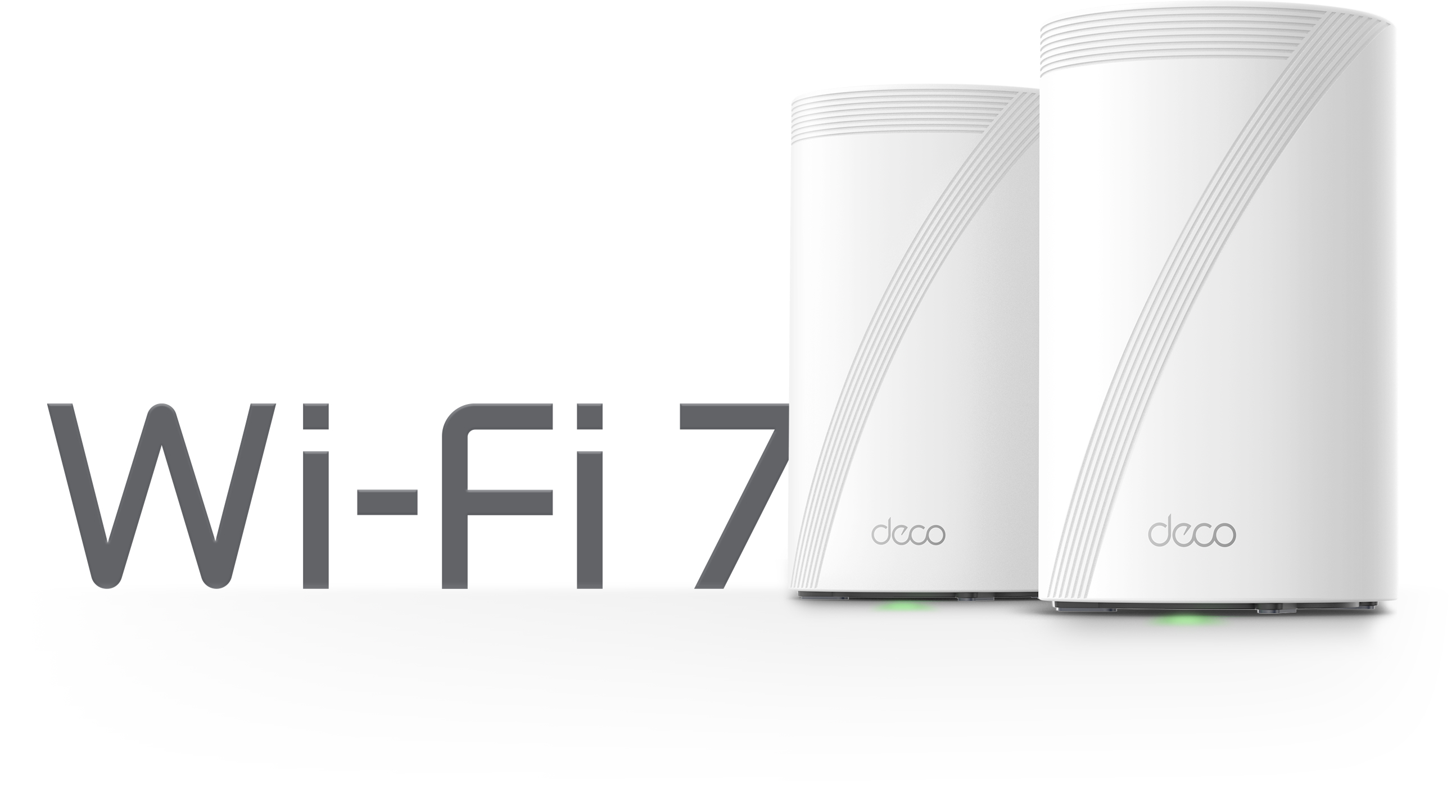

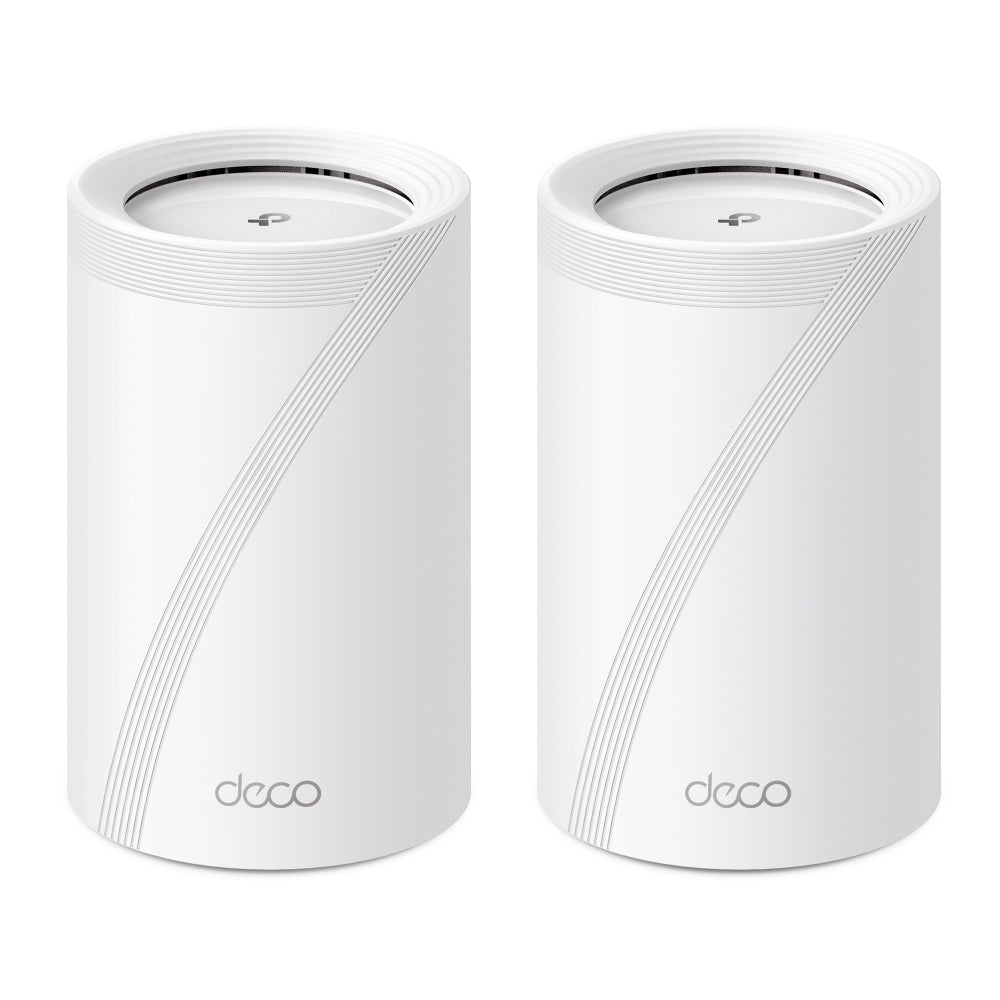
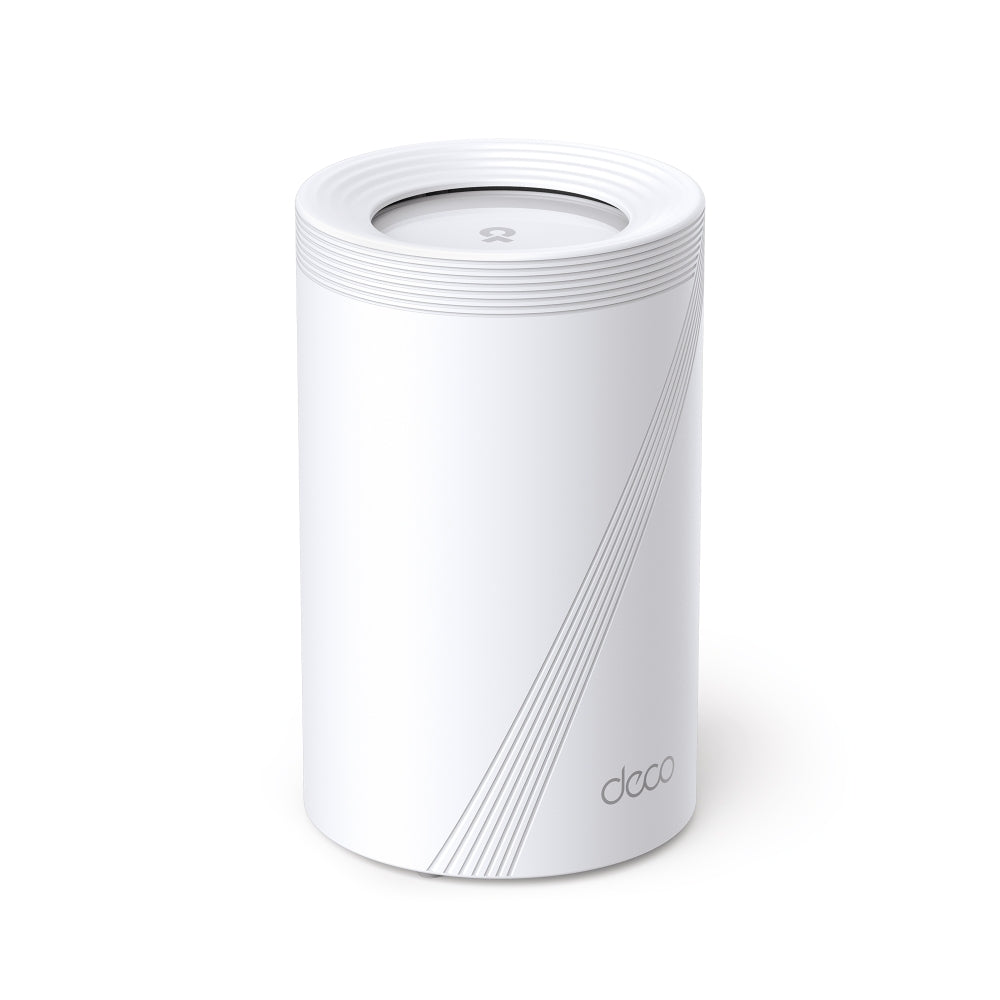

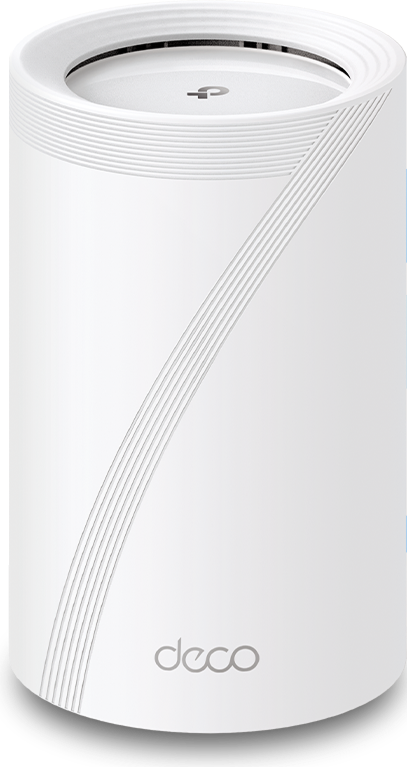
BE11000 Tri-Band Wi-Fi 7 Mesh System | Deco BE65(2-Pack)

4× 2.5G Ports MLO Multi-Link HomeShield Security 2×2 MU-MIMO
Sale price$459.99 Regular price$649.99

Tax excluded. Shipping calculated at checkout


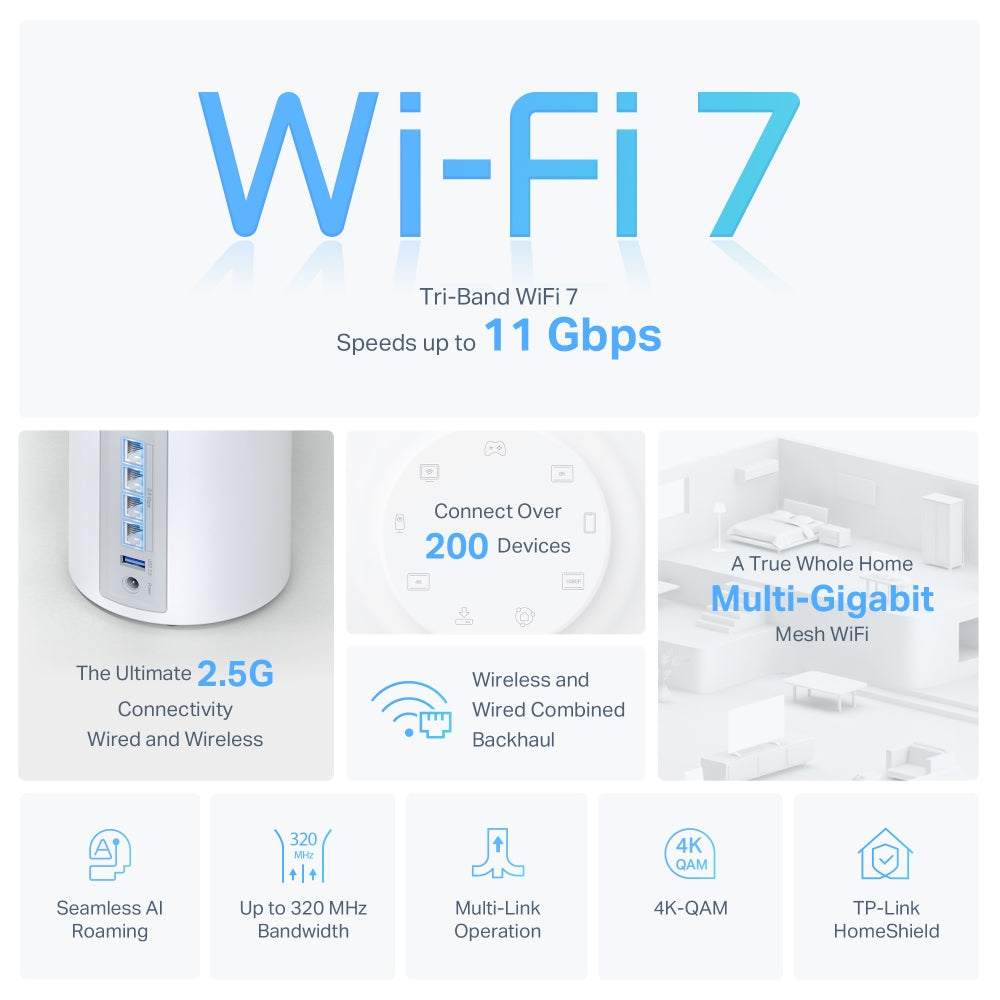
  • BE11000 Tri-Band Wi-Fi 7 Mesh
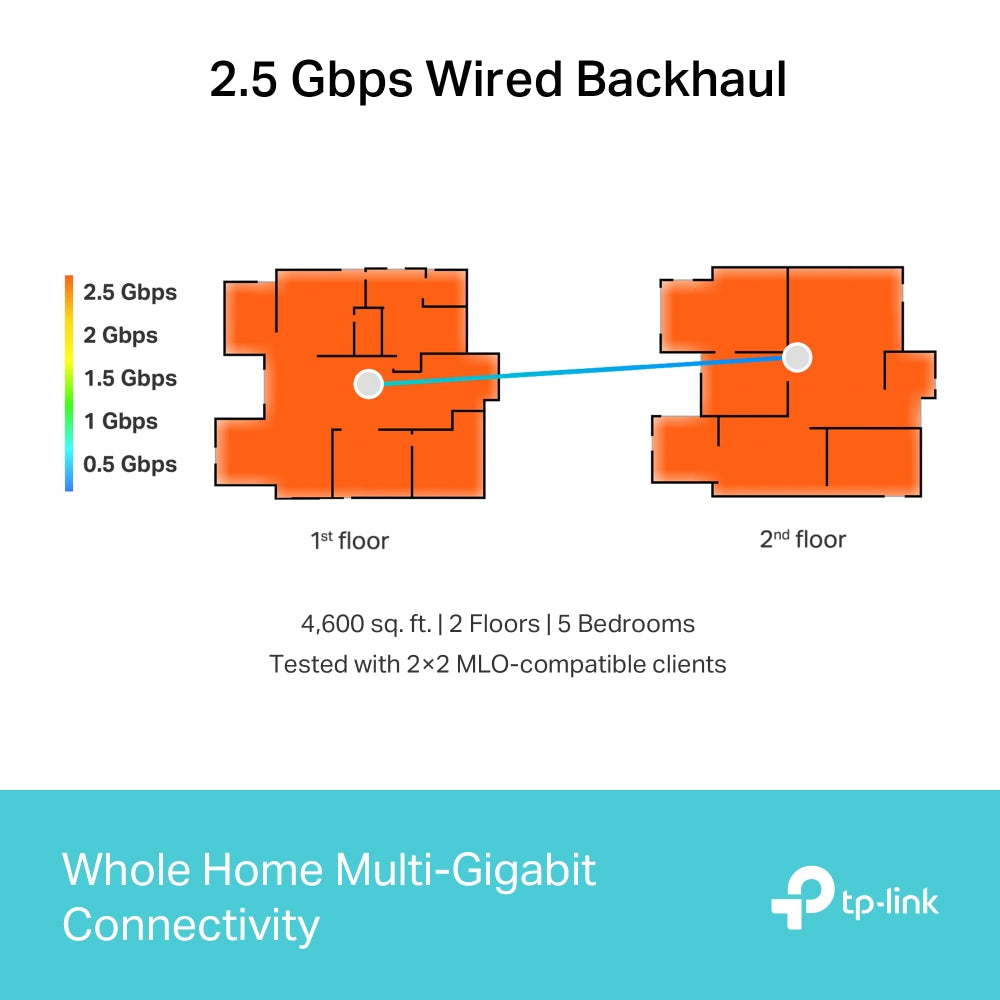
  • Multi-Gig 2.5 Gbps Network
  • Advanced Wi-Fi 7 Technology
  • Works on the 6 GHz Band
  • TP-Link Home Shield & Support
In stock
🚚 Delivery time: Calculating...
  • Tracking status may only update after the order is processed at the carrier facility.
  • Weekends may affect shipping and delivery.
<p>Earn%20[points_amount]%20when%20completing%20this%20purchase.</p>
Buy now
Secured Shopping
American Express
Apple Pay
Diners Club
Discover
Google Pay
Mastercard
Shop Pay
Visa

Shipping from Canada

  • Free Shipping for Orders Over CAD 200
  • 30-Day No Reason Return Policy
  • Local English/French Customer Service
  • 2 Years Warranty
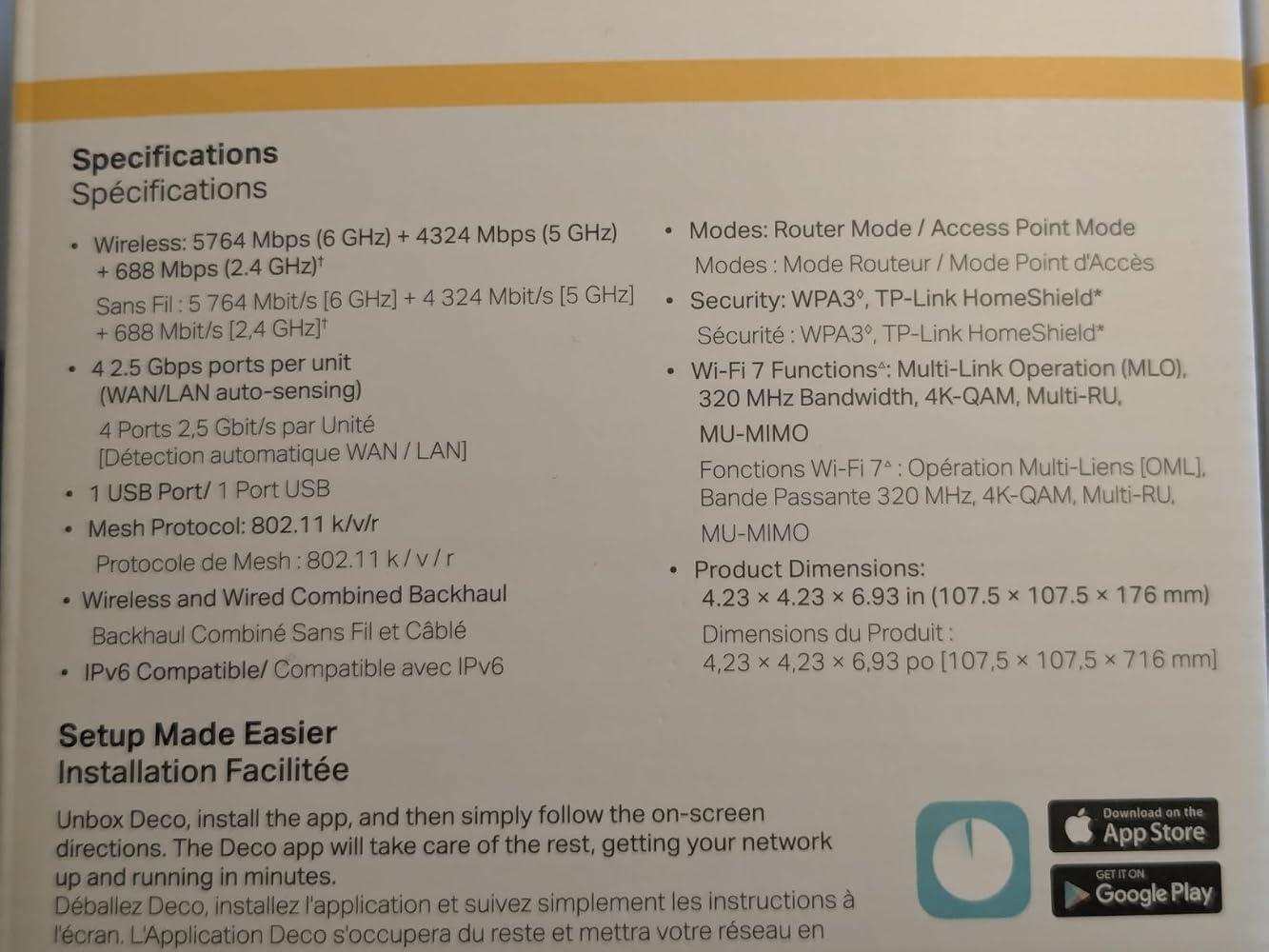
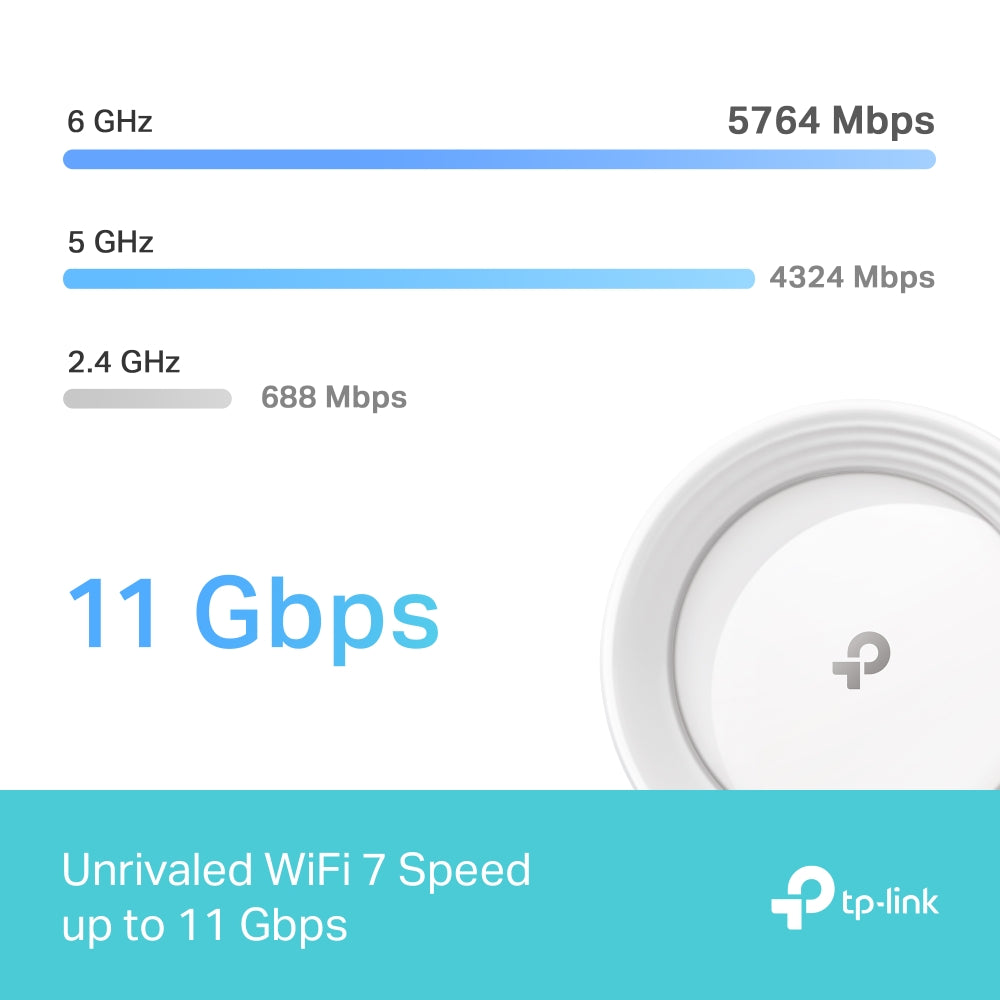
  • BE11000 Tri-Band Wi-Fi 7 Mesh: Experience unprecedented speeds with 5760 Mbps on the 6 GHz band, 4320 Mbps on the 5 GHz band, and 574 Mbps on the 2.4 GHz band.
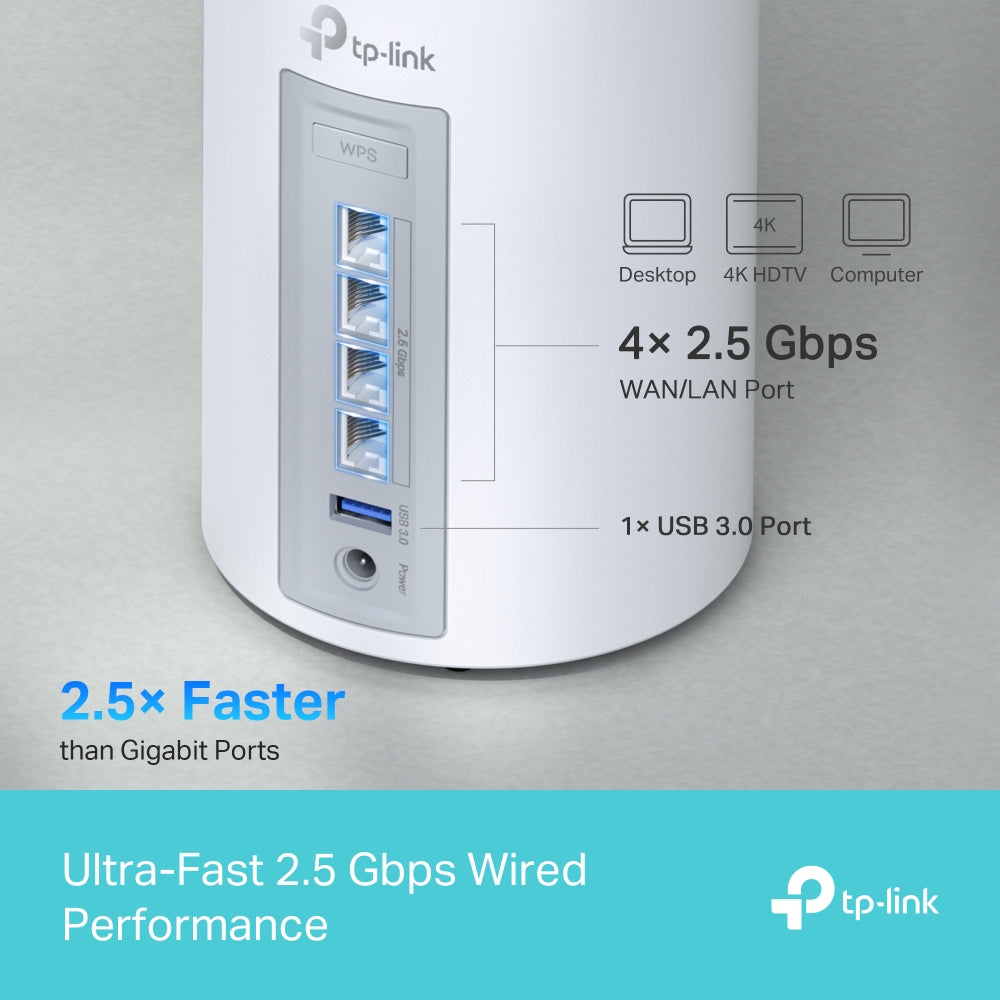
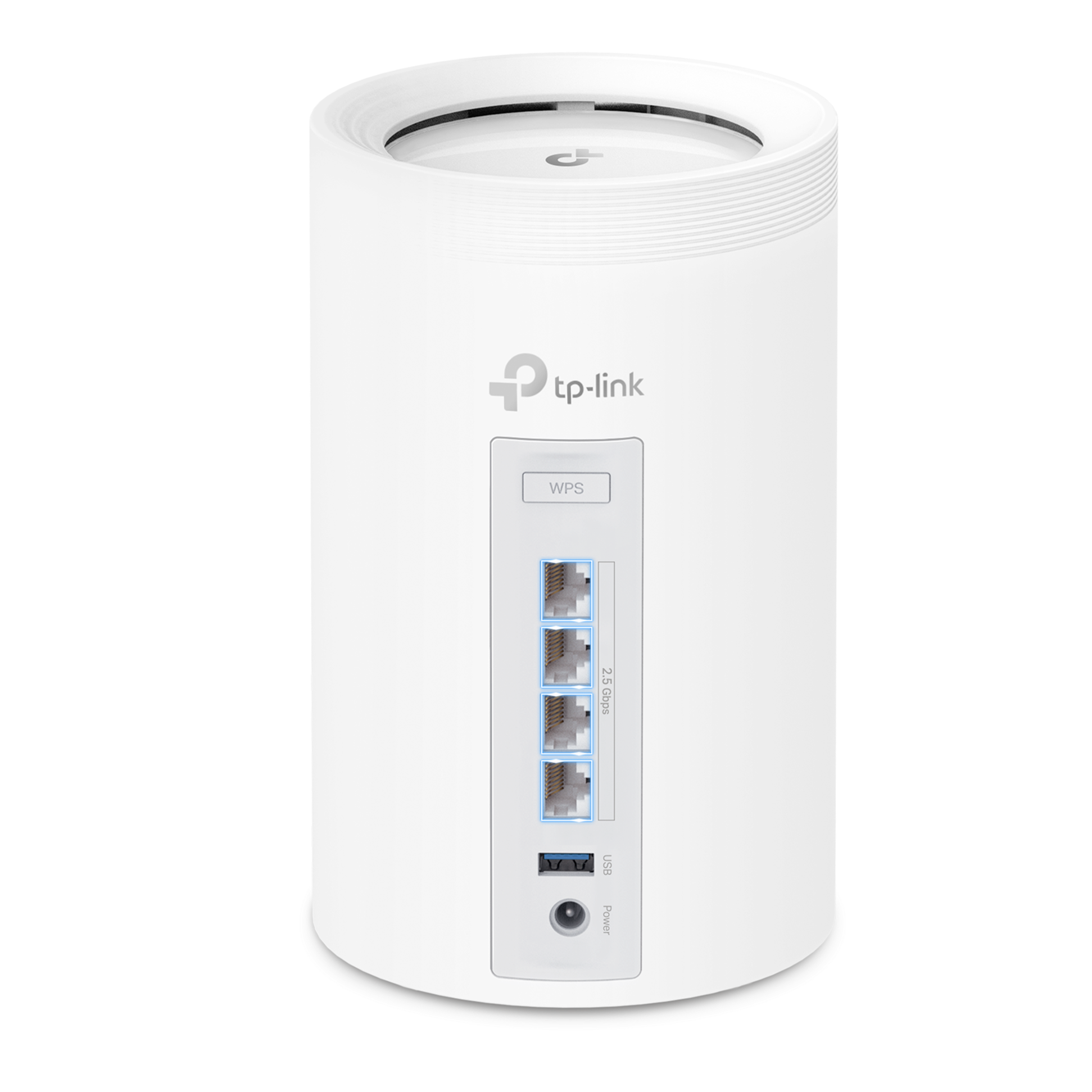
  • Multi-Gig 2.5 Gbps Network: Features 4× 2.5 Gbps ports to ensure max flexibility and boosted throughput for PCs, gaming consoles, and NAS devices.
  • Advanced Wi-Fi 7 Technology: Multi-Link Operation (MLO) allows simultaneous data transmission across bands to reduce latency.
  • Works on the 6 GHz Band: Minimizes congestion with greenfield spectrum, delivering robust high-speed connections free from interference by legacy devices.
  • TP-Link Home Shield & Support: Provides comprehensive network protection, robust parental controls, and real-time IoT security.

WIRELESS

Standards and Protocols Wi-Fi 7
IEEE 802.11be/ax 6 GHz
IEEE 802.11be/ax/ac/n/a 5 GHz
IEEE 802.11be/ax/n/b/g 2.4 GHz
WiFi Speeds BE11000
6 GHz: 5765 Mbps (802.11be)
5 GHz: 4324 Mbps (802.11be)
2.4 GHz: 688 Mbps (802.11be)
WiFi Range Broader Whole Home Coverage
TP-Link Mesh Technology
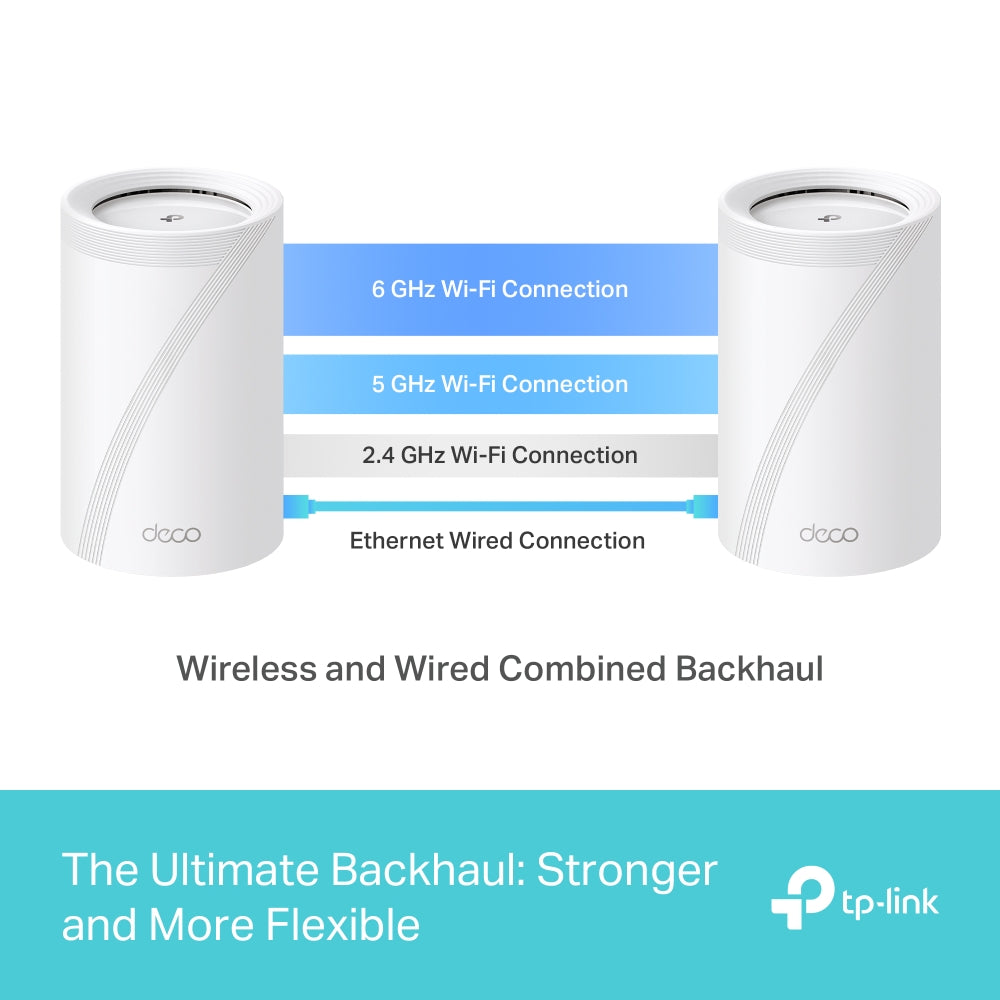
Optional Ethernet backhaul work together to link Deco units to provide seamless coverage
AI-Driven Mesh
Intelligently learns the network environment to provide ideal Wi-Fi unique to your home
4× High-Performance Antennas (Internal)
Multiple antennas form a signal-boosting array to cover more directions and large areas
Tri-Band
A newly-opened 6 GHz band brings more bandwidth and faster speeds
WiFi Capacity Very High
Tri-Band
Distribute devices to different bands for optimal performance
2×2 MU-MIMO
Simultaneously communicates with multiple MU-MIMO clients
OFDMA
Simultaneously communicates with multiple WiFi 7 clients
6 Streams
More than enough bandwidth for connected devices
Working Modes Router Mode
Access Point Mode
Advanced Features • Multi-Link Operation (MLO)
• 320 MHz Channel
• 4K-QAM
• Multi-RUs
• Works with Alexa and Google Assistant

SECURITY

Network Security SPI Firewall
Access Control
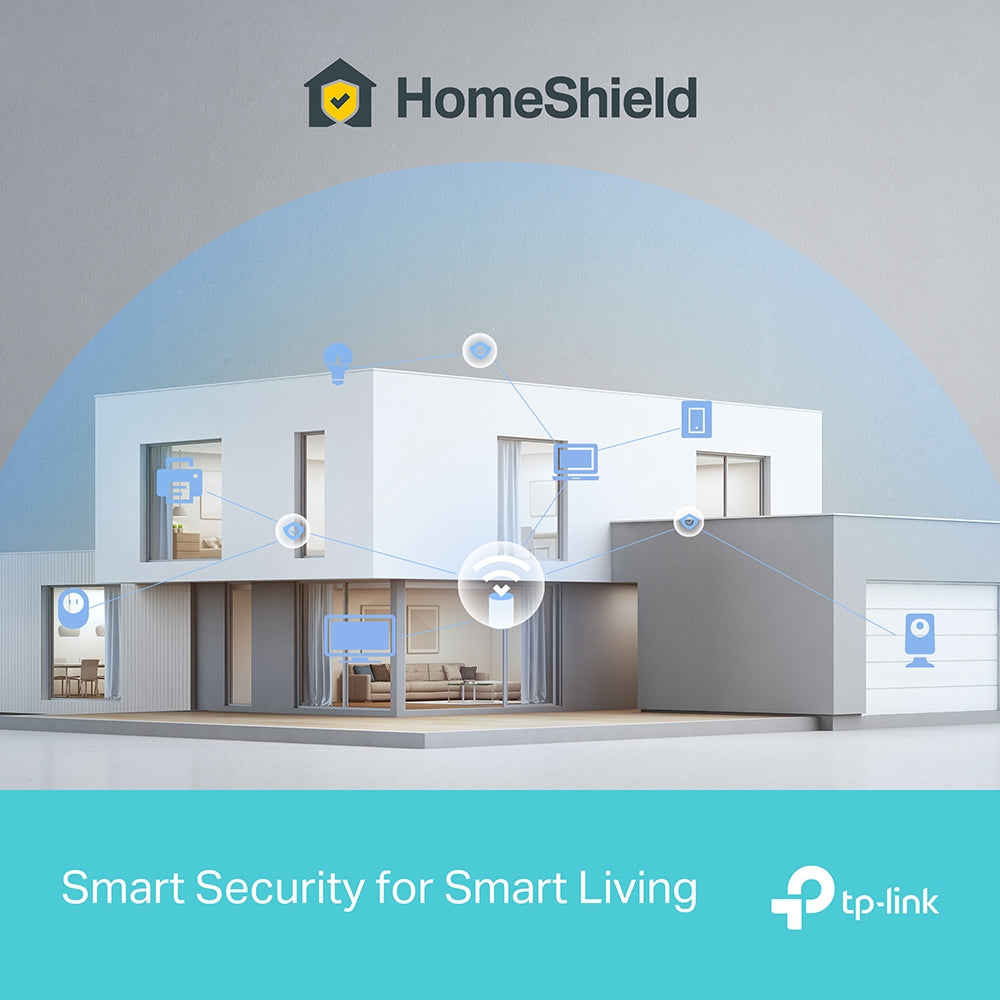
HomeShield Security
Real-Time IoT Protection
Malicious Site Blocker
Intrusion Prevention System
DDoS Attack Prevention
Home Network Scanner
Guest Network 1× 6 GHz Guest Network
1× 5 GHz Guest Network
1× 2.4 GHz Guest Network
Effective Time
Bandwidth Control
VPN Server • OpenVPN Server
• PPTP VPN Server
• L2TP/IPSec VPN Server
VPN Client • OpenVPN Client
• PPTP VPN Client
• L2TP/IPSec VPN Client
WiFi Encryption WPA-Personal
WPA2-Personal
WPA3-Personal

HARDWARE

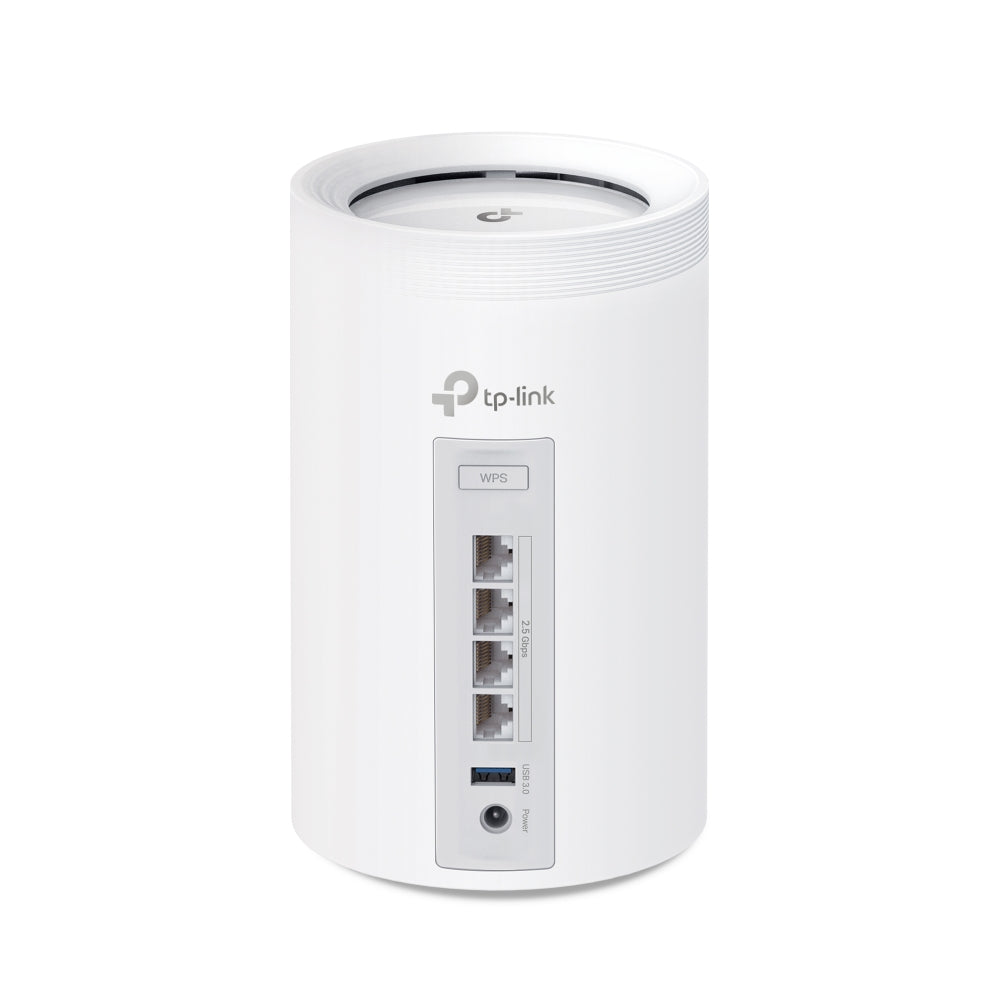
Ethernet Ports • 4× 2.5 Gbps
*Per Deco Unit
Supports WAN/LAN auto-sensing
USB Support 1× USB 3.0 Port
FTP Server
Media Server
Samba Server
Buttons 1× Reset Button
1× WPS

SOFTWARE

Advanced Features • Reboot Schedule
• Tapo/Kasa Onboarding
• IoT network & Device Isolation
• Static Routing Function
• Node/Band Connection Preference
Protocols IPv4
IPv6
Service Kits HomeShield
Learn More>
Parental Controls HomeShield Parental Controls
Youtube Restriction
SafeSearch
Custom Profiles
Professional Content Filter Library
Family Time
Bedtime
Off Time
Time Rewards
Family Online Time Ranking
Pause the Internet
Weekly and Monthly Reports
WAN Types Dynamic IP
Static IP
PPPoE
PPTP
L2TP
Quality of Service HomeShield QoS
QoS by Device
Cloud Service OTA Firmware Upgrade
TP-Link ID
DDNS
NAT Forwarding Port Forwarding
UPnP
IPTV IGMP Proxy
IGMP Snooping
Bridge
Tag VLAN
DHCP Address Reservation
DHCP Client List
Server
DDNS TP-Link
Management Features Deco App

OTHER

Network Services Enabled by Default Web Server
Manage and configure device through web (HTTP/HTTPS)
• Port: 80/443   Protocol: TCP
DNS
DNS
• Port: 53   Protocol: TCP & UDP
DHCP Server
IP address assignment (DHCP)
• Port: 67   Protocol: UDP
App management
Manage and configure device through app
• Port: 22   Protocol: TCP
• Port: 20001   Protocol: TCP
• Port: 30001   Protocol: TCP
• Port: 20002   Protocol: UDP

PHYSICAL

Dimensions (W×D×H) 4.23 × 4.23 × 6.93 in (107.5 × 107.5 × 176 mm)

OTHERS

Certifications CE, FCC, RoHS
Environment Operating Temperature: 0°C~40°C (32 °F~104 °F)
Storage Temperature: -40°C~60°C (-40 °F~140 °F)
Operating Humidity: 10%~90% RH
Storage Humidity: 5%~90% RH
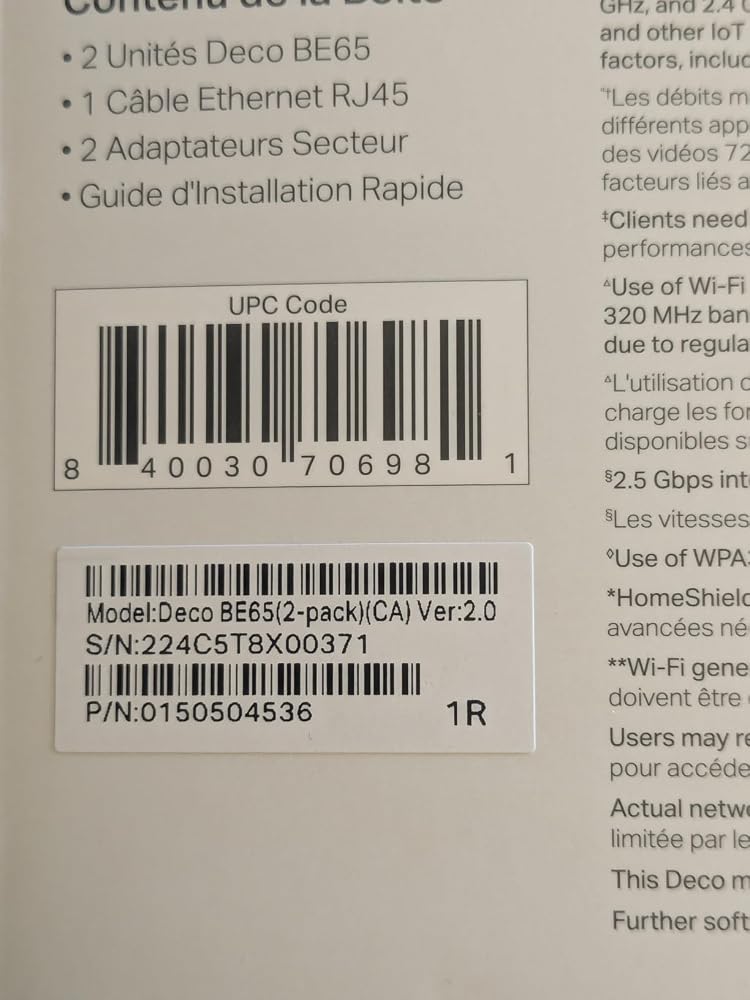
  • 2 Deco BE65 units
  • 1 RJ45 Ethernet cable
  • 2 Power adapters
  • 1 Quick Installation Guide
BE11000 Tri-Band Wi-Fi 7 Mesh System | Deco BE65(2-Pack)
$459.99 $649.99
Order now
Deco WB22000 Whole Home Mesh Wi-Fi 7 System.
deco 7 Pro

Pro-Grade Wi-Fi Powering Every Corner of Your Home

Deco BE11000 Whole Home Mesh Wi-Fi 7 System

Deco BE65

Wi-Fi 7 5,800 ft² 2.5G 6 GHz
Works with Google Home
Compatible with Amazon Alexa
HomeShield
aireal
deco 7

Pro-Grade Wi-Fi Powering Every Corner of Your Home

Deco BE11000 Whole Home Mesh Wi-Fi 7 System

Deco BE65

Wi-Fi 7 5,800 ft² 2.5G 6 GHz
Works with Google Home
Compatible with Amazon Alexa
HomeShield
aireal
Selling points – Wi-Fi coverage, multi-gig, tri-band, easy setup, 200 devices

Wi-Fi that reaches every room.

Covers up to 7,600 sq. ft (3-pack)

Ready for
multi-gig
internet

11 Gbps Tri-Band
Wi-Fi 7

Easy setup with
the Deco app

Connect up to
200 devices

Smart Roaming

Smart
Roaming

Wi-Fi 7 Multi-Link

Wi-Fi 7
Multi-Link

6 GHz + 320 MHz Bandwidth

6 GHz + 320
MHz
Bandwidth

4K QAM

4K QAM

Flexible Backhaul

Flexible
Backhaul

HomeShield – Advanced Security

HomeShield -
Advanced Security

Wi-Fi Like Never Before – deco7 Pro

Wi-Fi Like Never Before

Wi-Fi 7 delivers faster speeds and smoother connections for today's connected homes. Deco 7 Pro makes next-generation Wi-Fi simple, reliable, and ready for everything you do online.

More Wi-Fi. Less interference.

The 6 GHz band keeps your network clear when every device in the home is running at once.

Family using Wi-Fi

Performance Wi-Fi for Homes That Demand More

No more buffering, dropped calls, or slowdowns when everyone's online. Deco 7 Pro is built for busy homes, delivering smooth streaming and dependable connections in every room.


6 GHz
 
5765 Mbps
5 GHz
 
4324 Mbps
2.4 GHz
 
688 Mbps
A family enjoying smart tv
A man relaxing with a tablet
A fit woman exercising with a tv instructor
 
 
A family enjoying smart tv A man relaxing with a tablet A fit woman exercising with a tv instructor

Built for multi-gig Internet.

When your internet plan gets faster, your Wi-Fi should keep up. Deco 7 Pro supports 2.5 Gbps wired connections, helping reduce bottlenecks and slowdowns as more devices connect throughout your home.
Built for multi-gig internet lifestyle
Deco BE13000 ports

4× 2.5 Gbps

WAN / LAN Ports

 
Work from home

Work from home

Streaming in every room

Streaming in every room

Gaming without lag
Gaming without lag

Deco WB22000 Deco WB22000

Stronger Connections Between Every Deco

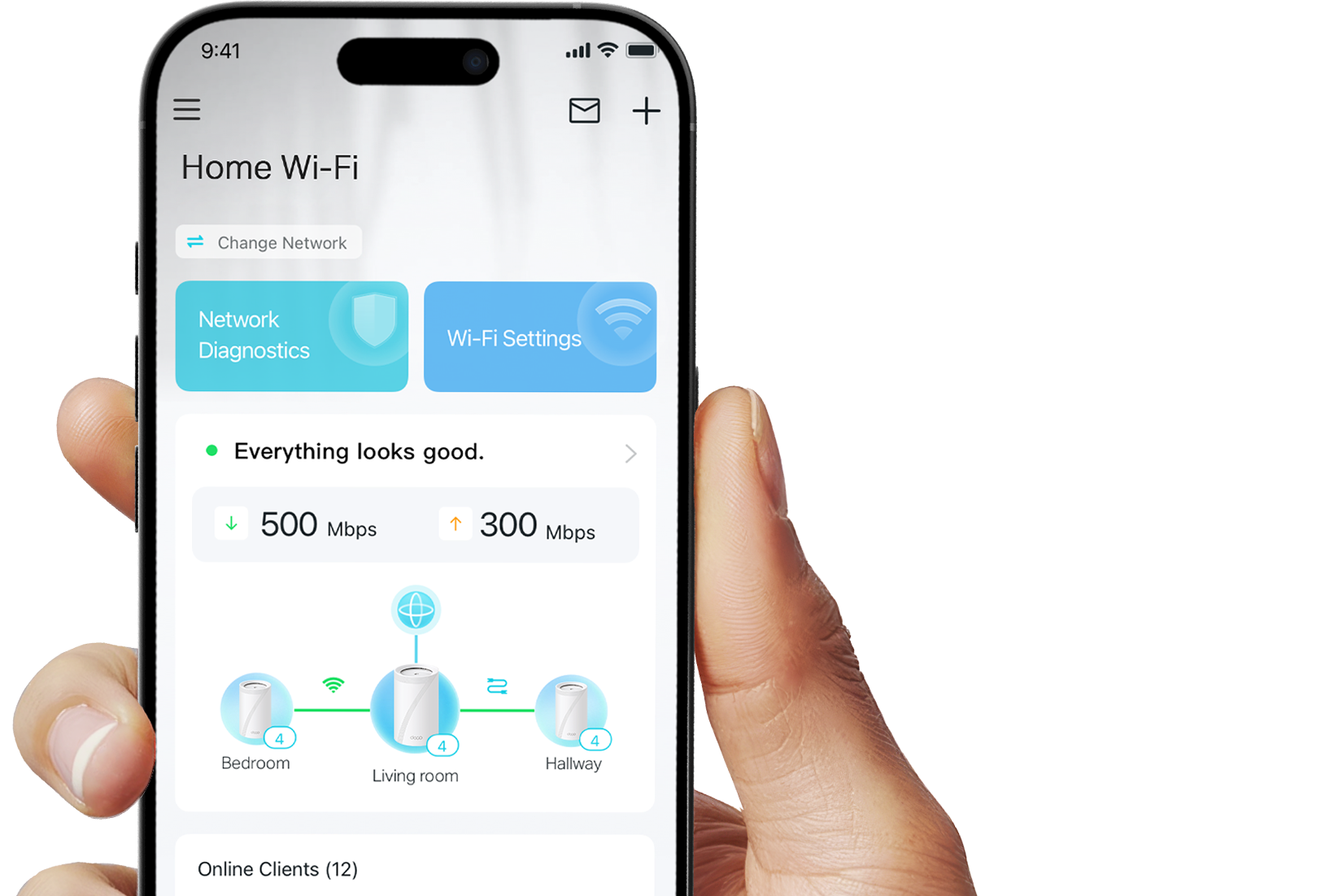
Deco 7 Pro is designed to be effortless from the start. Set up in minutes with the Deco app, then enjoy strong, reliable Wi-Fi throughout your home.
Stronger Connections Between Every Deco

Deco 7 Pro is designed to be effortless from the start. Set up in minutes with the Deco app, then enjoy strong, reliable Wi-Fi throughout your home.

Deco WB22000 Deco WB22000

Simple. Easy. Powerful.

Deco 7 Pro is designed to be effortless from the start. Set up in minutes with the Deco app, then enjoy strong, reliable Wi-Fi throughout your home.

Deco app setup

Simple. Easy. Powerful.

Deco 7 Pro is designed to be effortless from the start. Set up in minutes with the Deco app, then enjoy strong, reliable Wi-Fi throughout your home.

① Connect

to a modem and power on both.

② Download

and launch the Deco app.

③ Configure

by following the in-app instructions.

Built-In Security for Everyday Life

HomeShield helps protect every device on your network — automatically — so your family can connect with confidence at home and beyond.

Learn more about HomeShield >

Family browsing safely

Advanced Network Protection

Get automatic protection for your entire home network, designed to help block online threats so you can browse, stream, and connect with confidence.

Father and daughter using a tablet

Parental Controls

Use simple tools to manage screen time and filter content, designed to support healthier online habits for kids while giving parents more control.

Woman checking phone notifications

Protection that goes with you

Keep your devices protected at home and on the go, with security that stays with you wherever life happens.

 
Family browsing safely

Advanced Network Protection

Get automatic protection for your entire home network, designed to help block online threats so you can browse, stream, and connect with confidence.

Father and daughter using a tablet

Parental Controls

Use simple tools to manage screen time and filter content, designed to support healthier online habits for kids while giving parents more control.

Woman checking phone notifications

Protection that goes with you

Keep your devices protected at home and on the go, with security that stays with you wherever life happens.

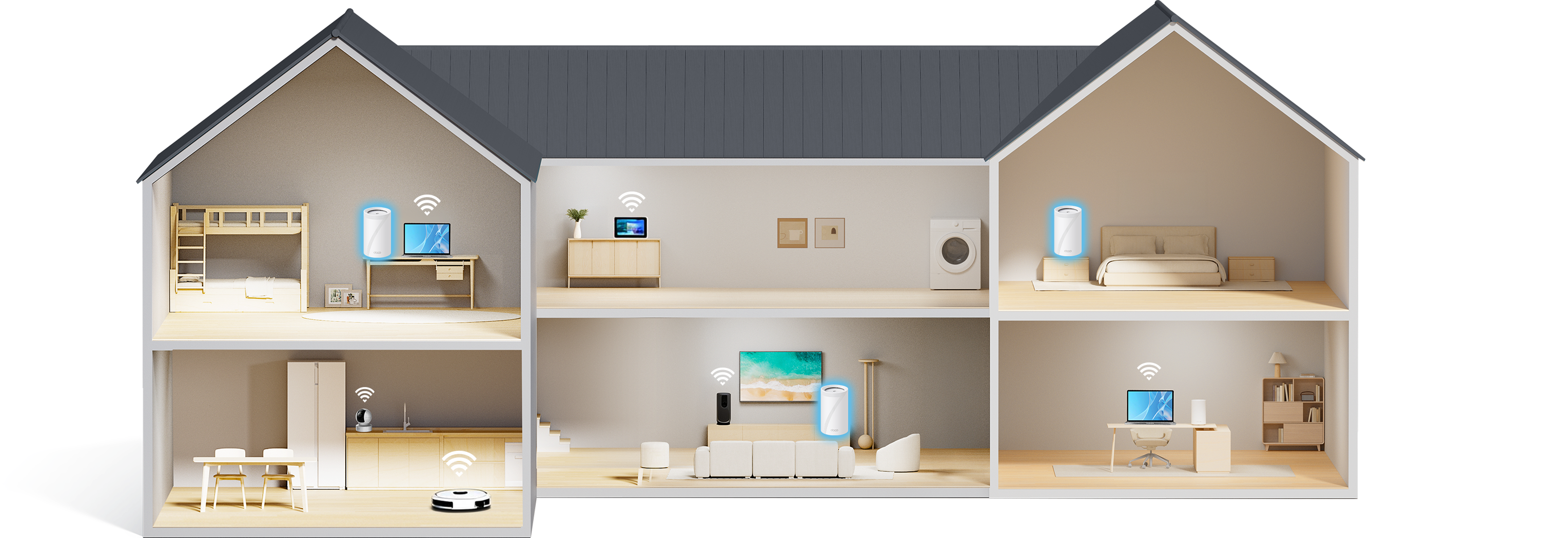
Private IoT Network for More Security

Set up a separate Wi-Fi network for IoT devices, with built-in HomeShield protection and advanced WPA3 encryption to help better protect your home network and connected devices.
a house with wifi routers and a separate IoT network            

Smart Features Included with Every Deco 7 Pro System

Hands-Free Voice Control

"Alexa, pause Wi-Fi for Juliet's tablet"

Hands-Free Voice Control

Use Amazon Alexa or Google Assistant-enabled devices to control your Deco system with simple voice commands, making it easy to manage your Wi-Fi hands-free.
All Decos Work Together

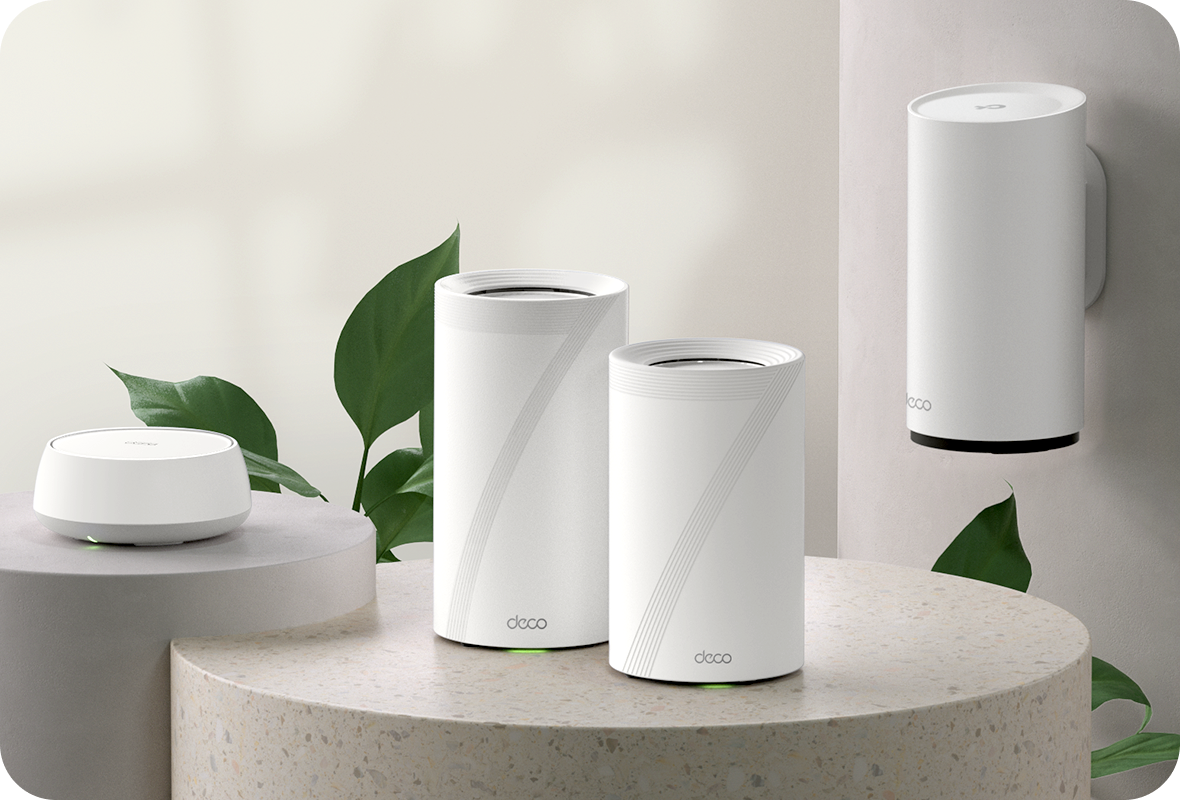
All Decos Work Together

All Deco devices work together to form one seamless mesh network. Expand your Wi-Fi coverage anytime by adding more Decos to keep every corner of your home connected.

<p>Earn%20[points_amount]%20when%20completing%20this%20purchase.</p>
  • 5 stars: 13 (93%)
  • 4 stars: 1 (7%)
  • 3 stars: 0 (0%)
  • 2 stars: 0 (0%)
  • 1 star: 0 (0%)
R
Roger
10/10. Brilliant BE65 mesh from TP-Link

Probably the best mesh network on the market in 2026, my only regret is, I didn’t try this model first… having said that, if I did, i probably wouldn’t have realized how it compares to other brands and deco models.I had tried the TP- Links cheaper deco models but returned them after poor performance, the BE65 works flawlessly, and is definitely the fastest WiFi network I’ve tried.I have a complicated network with around 75 smart IOT devices, 4k WiFi CCTC cameras, weather stations, Apple TV, 6 aquara door locks, 10 window contacts, movement sensors etc. so the mix of high speed high bandwidth devices mixed with really slow iot devices is a struggle for most networks.I tried several different makes and models before finding this works seamlessly, and solidly.I’ve also added an extra X50 node outside which is excellent too.I’m getting around 700mbs on an iPhone most places around the home and garden and 2000mbs on a cat5e cabled PC.Highly recommended for more complex smart home WiFi setups.

S
Simon
Great upgrade from Deco X60 / M5

I was a little nervous ordering this as TP-Link make so many slight variations for different markets and there are also 3 different hardware revisions and the marketing photos in the listing show the BE9300 variant, different to the description. So I was relieved when the one I wanted showed up - the latest hardware version (2.0), and the full bandwidth on all the channels (note the slightly higher 6Ghz and 5Ghz speed and 688 Mbit/s on 2.4Ghz vs 574 Mbit/s in the listing). Perfect!I've used Deco before, from M5 to X60 but decided to set this up as a whole new network rather than just adding / replacing the existing ones. I don't know what went wrong but it just wouldn't see my ISP connection and needed to be reset a few times (which itself was quite a challenge to get back to the flashing blue light). It's like the app and hardware were just out of sync. At one point I connected the previous X60 base unit which worked fine, so I tried again and finally got connected. The 2nd unit is easy to setup as it's already paired, so I was up and running. I also took the time to replace a Synology Edge Router and managed 1 Gigiabit Switch with a TP-Link TL-SG108S-M2 2.5 Gigabit switch - going for "simpler" this time round.We have one base unit in the basement, connected to the ISP modem, and the other on the 1st floor about as close to the middle of the house as is practical.I used the same SSID and password so existing devices would show up and it was easy to add the port forwarding to specific devices from the old setup so everything was up and running in no time. The network speed is faster but the most important thing is the signal strength - a camera on the far front corner of the garage had trouble connecting to the Deco X60 without one of the older Deco M5 units in the garage (which compromised other things) but connected to this directly. About half of the 50+ WiFi devices have connected to each unit. The furthest device is a camera on the back fence and that connects fine with a great signal - showing the feed of any camera is faster than it ever was before, part of the benefit of the improved network. I was keeping the Deco X60's in case I still needed to add more range anywhere but I'll donate those to a friend who's having some WiFi coverage issues.I'm pretty confident that the 2.5 gigabit networks ports and faster WiFi means that accessing the NAS for streaming and backups isn't going to impact other people using the internet so it's been a solid upgrade, especially if you can grab them at the reduced price. They are larger than the X60 - much taller but ever-so-slightly slimmer, but they aren't too ugly to have on a shelf somewhere.At some point I'll set-up the separate IoT network to move some devices to it and explore the multi-link option for devices that support it. There are plenty of parental control options in the app to limit access or reward people with more bandwidth if that's useful to you, and good control over which base unit each device connects to and the band you want it to use. It also does a good job of optimizing the network channels based on which ones your "idiot" neighbours have picked (1, 6, and 11 ONLY on 2.4 Ghz people, cmon!!!)

K
Kay Gabriel
Amazing Mesh

I love the Deco 7 BE11000, I was annoyed to have almost no signal in my basement or backyard.I was no fan of Wifi mesh systems 10 years ago, but these new mesh systems are amazing!!!I get over 1400Mbps almost everywhere in my house and about 600-900Mbps in the backyard over wifi!!!Using the Ethernet is even crazier, my office PC now gets over 1900Mbps which is amazing and a latency of about 4ms.

S
Saleh Afshar
Worth the price

I have been contemplating for a while, whether or not this specific model was worth the upgrade.I can confidently say, YES. It got delivered today, I was done setting up in 15 mins and runs like butter. I have been streaming 4K content from my media server downstairs, connected only via WIFI and runs without any issues. Speed tests have not failed either. So far I'm very satisfied.

M
Matthew
Level up your wifi

Great upgrade. We now have wifi all across our house on all levels.

F
F.B.
Easy setup, significant improvement over a WiFi6 network

I upgraded from a TP-Link WiFi 6 Mesh router to Deco WiFi 7 network. The setup was straightforward, completed within minutes. The app is simple, walks the user through steps to quickly setup the system. After setup, the user has limited options to optimize performance, in comparison to a full-featured route. Having said this, all key features for a home network are in the app.Most importantly, I now get the full speed from my ISP at every corner of my home, which my old WiFi 6 system could not achieve.

A
Amazon Customer
Wifi super highway

What a difference wifi 7 is. My only complaint is sometimes when you reset them you need to let them sit a few hours till they find themselves again. Sounds stupid, but that what’s happens. But once connected they work great.

A
Amazon Customer
Somewhat expensive, however delivers as promised

Finally, I have good wifi all over the house, and the back yard!

N
Nick
Still testing, good, but frequent dropped connections

Pros: 1. The app is great. I feel like a true network administrator because of the app. I can see exactly who is connected and how much bandwidth they are using. I can "block" people from connecting, and create a guest network. The app is very useful and handy. I had an obsolete D-Link router before this. I wish I upgraded my router years ago. Pro #2. The range is amazing. I have only 1 of these units, and I can go all the way into the further corner of my backyard and still have a connection. My previous router couldn't do that. Pro #3. It has unleashed the full potential of my internet's speed capability. Con #1. I'm getting frequent dropped connections on many devices. It's. tad discouraging and difficult to troubleshoot which is why I'm considering going with a different brand. I can be on a video call or video gaming online and POOF, connection is gone. Con #2: It takes a long time to reset, I'm talking a good 3 - 4 minutes before you can connect back online after a simple reboot. My old d-link router would take no more than 60 seconds. Con #3. The price. Wifi 6E routers are considerably cheaper and very similarly specced. I wanted the top-of-the-line so perhaps I paid a premium for that since wifi 7 is still relatively newer on the consumer market.

L
LightAlive
insane wireless backhaul speeds.

I have 1.5gbps service with xfinity and speedtests with the xfinity modem is 1.8gbps (Rogers typically provides higher than advertised speeds). Mesh setup: Bridge mode, 25ft wireless backhaul across 2 floors. Wired to the 2nd floor satellite I was getting the full 1.8gbps. 20ft wireless to satellite (1 wall) getting 0.8gbps and 35t wireless to satellite (2walls) getting 0.5gbps. If you are planning a wireless backhaul a tri-band setup is the way to go.The downside: setup can be anxiety inducing. I was alarmed when I put my ISP router into bridge mode, giving the task to the deco, but it kept giving me "cannot detect internet service" error. I swapped units and got the same error. Finally after a couple modem and deco reboots it fixed itself somehow (maybe I was too impatient).

h
howie1
Easy set up/kid’s stopped co

Saviour of my frazzled mind. Kids are no longer bugging the crap out of me about lag, speed or amount of devices. They can also get it in every room in the house now. Looking forward to the next thing they can find to complain about lol.

H
Hamid Samadi
Massive Upgrade, Huge Speed Boost Over My Bell Modem

The TP-Link Deco BE65 completely transformed my home WiFi setup. I used to get around 20 Mbps with the regular Bell modem, and now I’m consistently getting 150 Mbps. The difference is unreal. Downloads that used to take forever are now done in minutes, and streaming in 4K is buttery smooth with zero buffering. The coverage is strong in every corner of the house, and the AI-driven optimization really keeps everything running fast and stable. Setup was super easy too. Honestly, I’m beyond happy with this. WORTH EVERY PENNY!

K
Kryptos
Pricey but it's worth every penny

I would buy these again if I had too. So much options and my internet it so much faster now. The wifi 7 is great too, MLO is a must.

L
Leo
Great upgrade from Google Mesh, solid coverage and speed

I used to use Google Mesh at home. I started with three pods, but the coverage wasn't enough and I had many dead zones. Later, I bought three more to connect them all together, but the system started dropping connections frequently. Because of these issues, I decided to upgrade my network to this BE11000.The difference is huge. It feels much faster than my old setup, and just three units are now completely covering my entire house. All the basic features work perfectly. The only downside is that if you want to use the VPN feature, you have to pay extra for it, and the advanced parental control features also require an additional purchase.Overall, it is very easy to use and I am very satisfied with the upgrade.