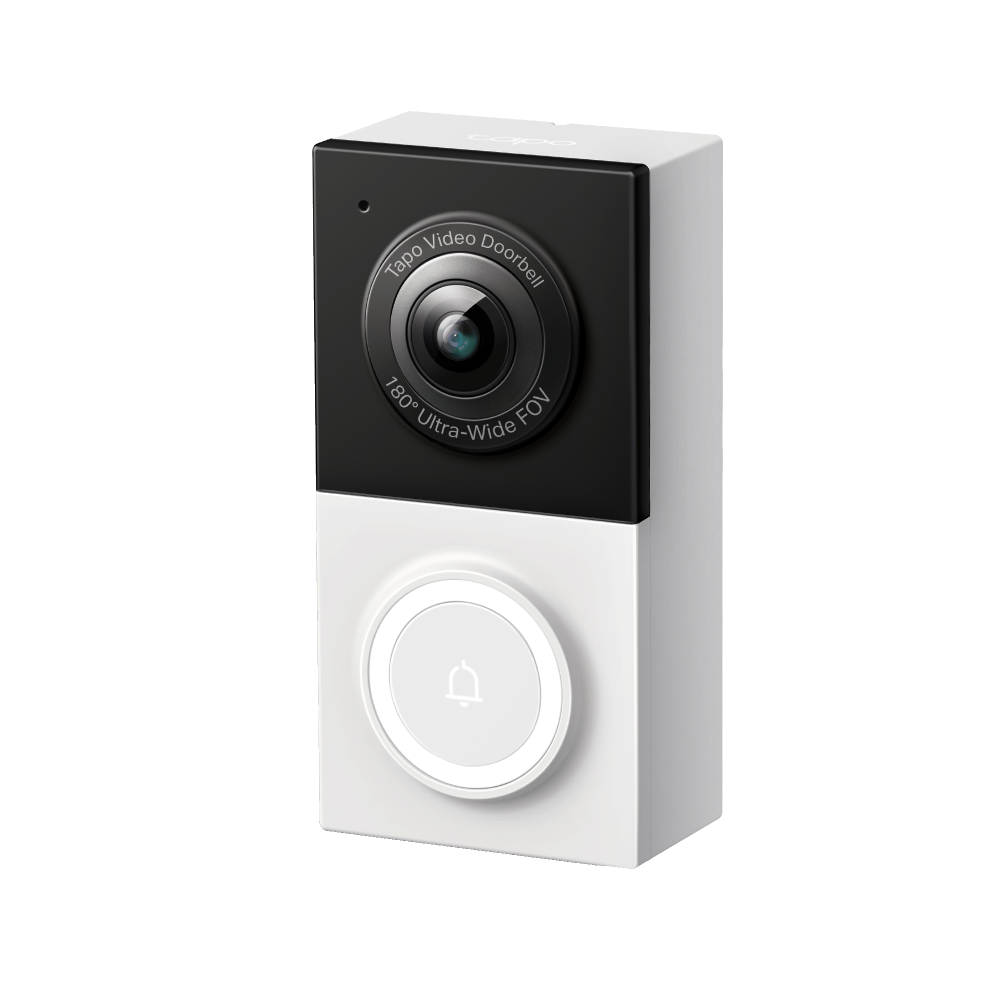
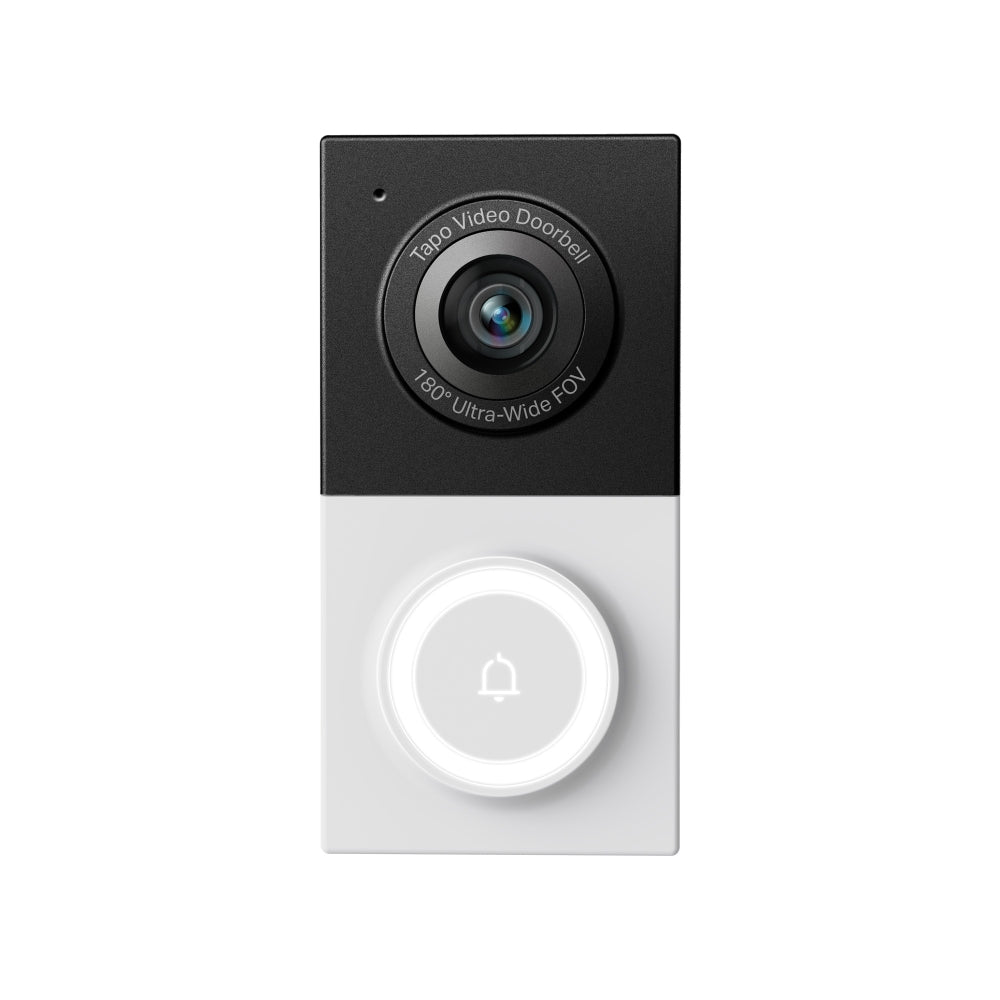
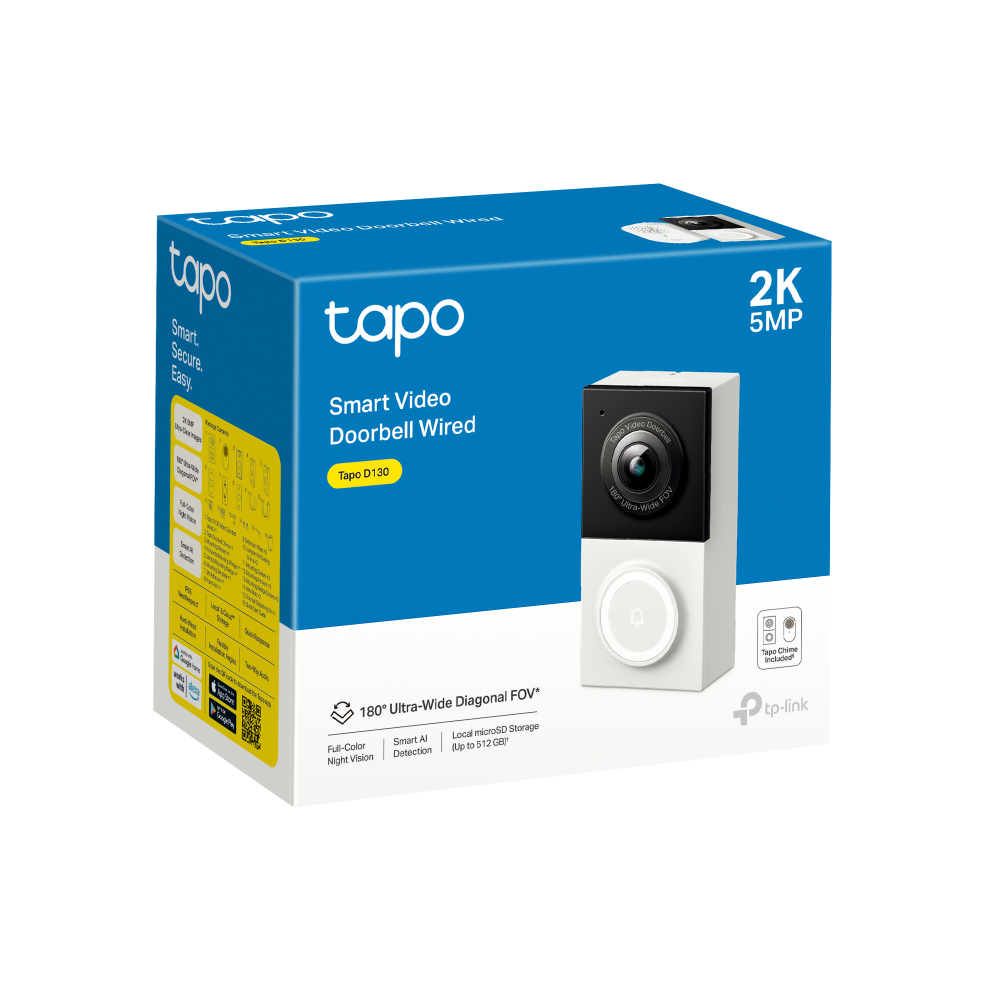
2K Wired Video Doorbell Camera | Tapo D130

Package/Person/Pet AI Chime Included IP65 Weatherproof Night Vision 30ft
Sale price$69.99 Regular price$79.99

Tax excluded. Shipping calculated at checkout


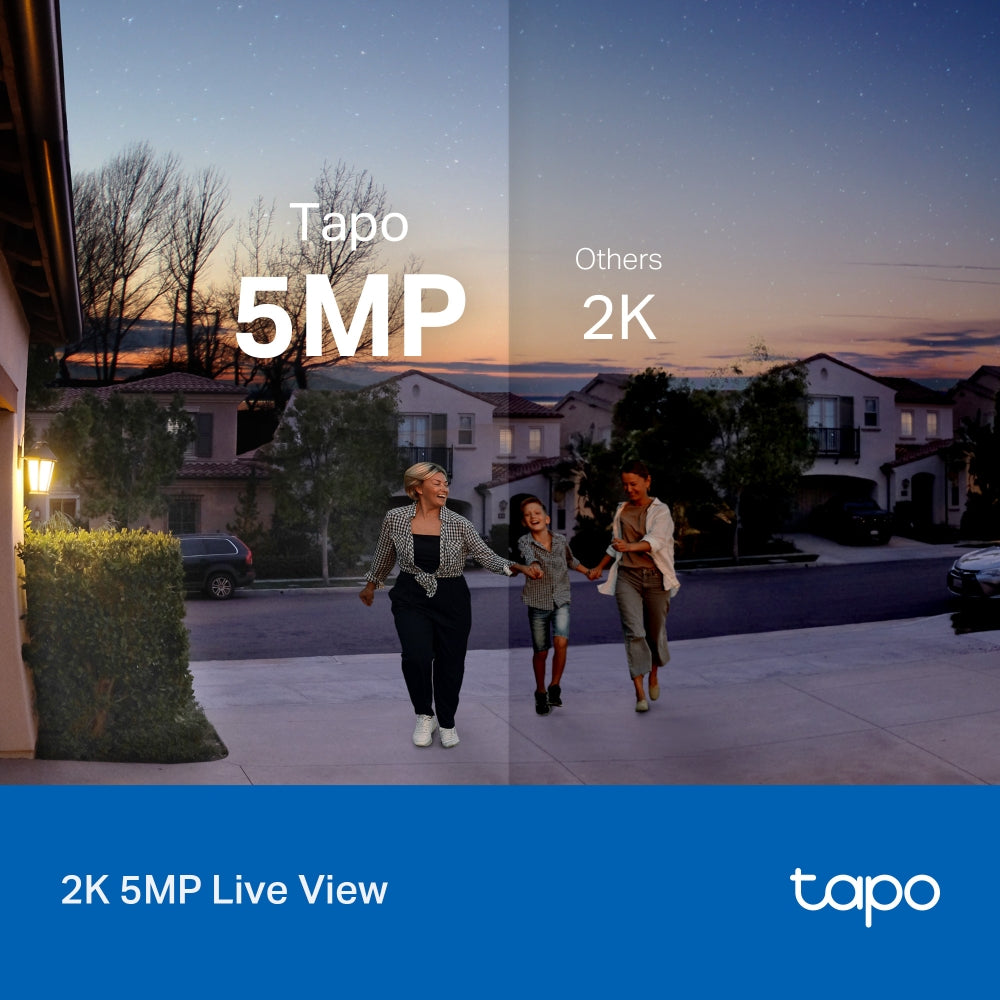
  • 2K 5MP Live View
  • Color Night Vision
  • 180° Head-to-Toe View
  • Smart AI Detection & Notifications
  • IP65 Weatherproof Design
In stock
🚚 Delivery time: Calculating...
  • Tracking status may only update after the order is processed at the carrier facility.
  • Weekends may affect shipping and delivery.
<p>Earn%20[points_amount]%20when%20completing%20this%20purchase.</p>
Buy now
Secured Shopping
American Express
Apple Pay
Diners Club
Discover
Google Pay
Mastercard
Shop Pay
Visa

Shipping from Canada

  • Free Shipping for Orders Over CAD 200
  • 30-Day No Reason Return Policy
  • Local English/French Customer Service
  • 2 Years Warranty
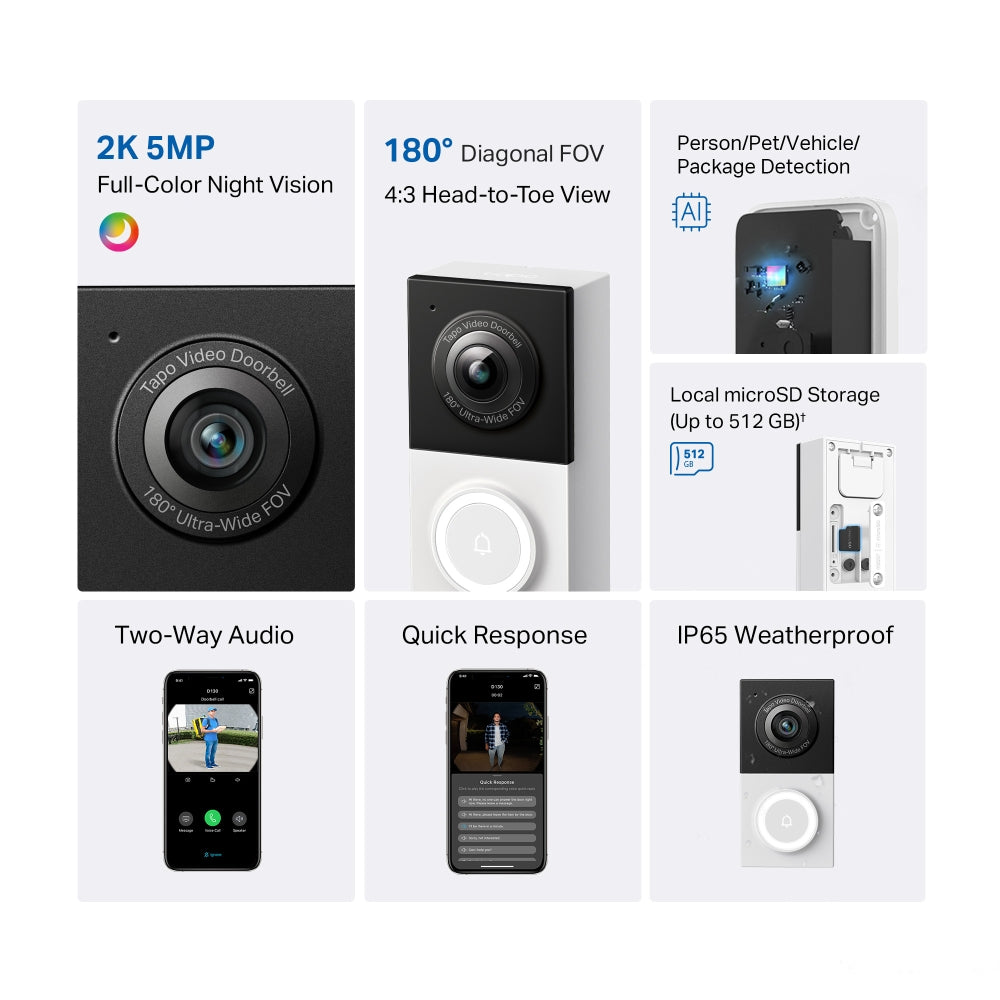
  • 2K 5MP Live View: The starlight sensor delivers detailed video monitoring through the Tapo app, including clearer visibility in low-light conditions.
  • Color Night Vision: Uses an embedded spotlight and starlight sensor to capture color video and detailed nighttime footage.
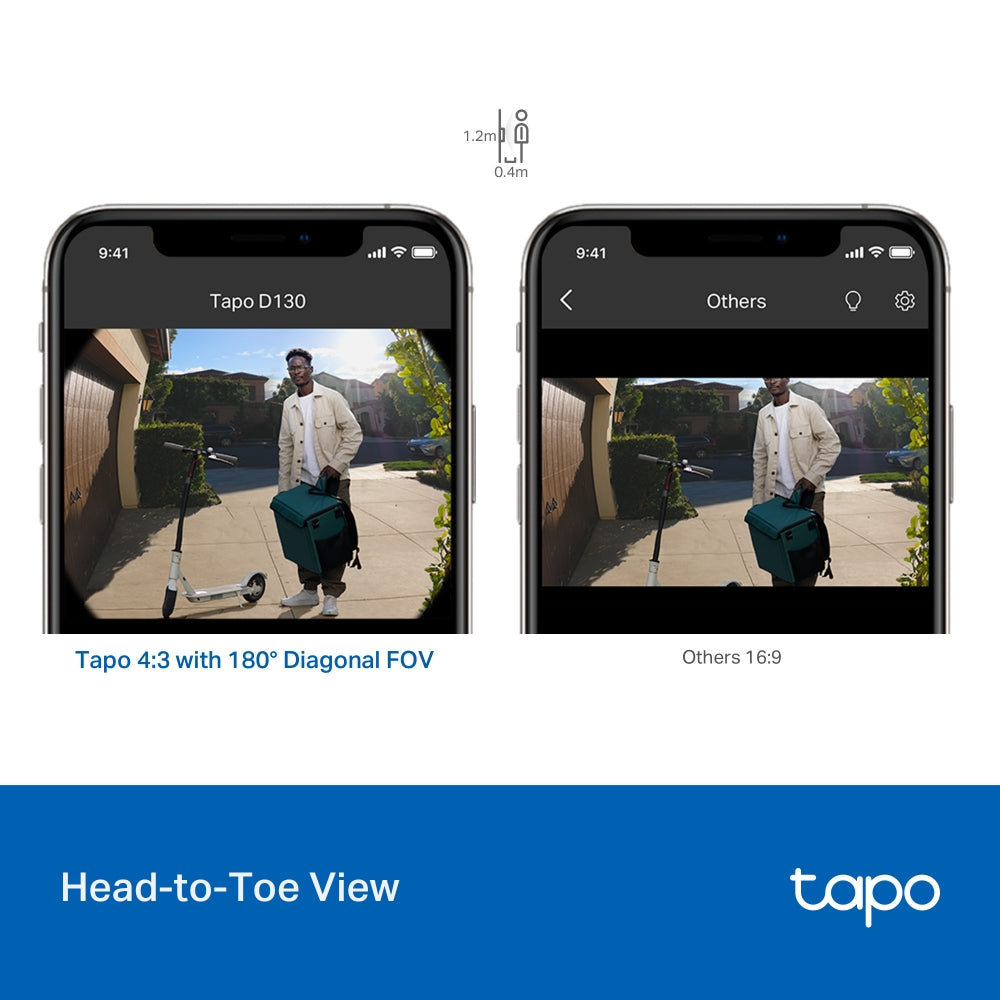
  • 180° Head-to-Toe View: With ultra-wide diagonal FOV and 4: 3 live view shows more vertical coverage for monitoring visitors from head to toe.
  • Smart AI Detection & Notifications: Identifies people and cars and sends alerts when activity is detected.
  • IP65 Weatherproof Design: Provides water and dust resistance for reliable outdoor use.

CAMERA

Image Sensor 1/2.7“ Progressive Scan CMOS Sensor
Lens Focal Length: 1.18 mm
Aperture: F1.8
Field of View: 180° (Diagonal), 172° (Horizontal), 144° (Vertical)
Night Vision 850 nm IR LED (30ft / 10 m)
Lighting Built-in Spotlights
Interface & Button 1× RESET Button
1× Doorbell Button

HUB

Interface & Button 1× RESET Button
1× MicroSD Card Slot (Up to 512 GB)
1x RING Button

VIDEO & AUDIO

Maximum Resolution 2K 5MP (2560 × 1920px)
Frame Rate 15/20/25/30 fps (Default 15fps)
Digital Zoom 16x
Video Compression H.264
Live View Yes
Image Enhancement 3DNR
WDR
Audio Input & Output Built-in Microphone and Speaker
Audio Communication Two-Way Audio with Noise Cancellation

STORAGE

Local Storage MicroSD Card Slot on Camera (Up to 512 GB)
General Information about using MicroSD Cards >
Cloud Storage Tapo Care Cloud Storage Services (Subscription required)

DETECTION and NOTIFICATIONS

AI Detection Motion Detection
Line-Crossing Detection
Tamper Detection
Person Detection
Pet Detection
Vehicle Detection
Package Detection
Activity Zones Yes
*Only works with Motion Detection.
Output Notification System Notification
System Notification with Snapshot (Tapo Care Services)

NETWORK

Network Connectivity Connect via Wi-Fi
Wireless Connectivity IEEE 802.11b/g/n, 2.4 GHz Wi-Fi
RTSP Yes

SECURITY

Security On-Device Machine Learning
128-bit AES Encryption with SSL/TLS
WPA/WPA2-PSK/WPA3

POWER

Power Source Hardwired Only
Input Voltage Hardwired:8~24VAC;10VA min

GENERAL

Certification CE, RoHS, FCC, EAC, UKCA, KC,ETL,IC,IP65
Smart Integration Google Assistant, Amazon Alexa
Weather Resistance IP65
System Requirements Tapo App: iOS 9.0 or higher, Andriod 4.4 or higher
Mounting Options Stick to a Wall
Mount to a Wall
Operating Temperature -20℃~45℃
Storage Temperature -20℃~60℃
Operating Humidity 10%~90% RH, Non-condensing
Storage Humidity 5%~90% RH, Non-condensing
Dimensions ( W x D x H ) Doorbell Dimensions: 3.35 × 1.67 × 1.28 in (85 × 42.5 × 32.5 mm)
Chime Dimensions: 2.87 × 1.71 × 1.85 in (73 × 43.5 × 46.9 mm)
  • Tapo D130 Video Doorbell Wired× 1
  • Tapo Doorbell Chime× 1
  • Mounting Bracket× 1
  • Horizontal Mounting Wedge× 1
  • Vertical Mounting Wedge× 1
  • Jumpers for Existing Chime× 2
  • 3M Adhesive× 1
  • Foam Pad× 1
  • Extension Wires× 2
  • Mounting Wedge Screws× 3
  • Wire Nuts× 2
  • Doorbell Detaching Pin× 1
  • Quick Start Guide
  • Mounting Template× 1
  • Mounting Screws× 3
  • Mounting Anchors× 3
2K Wired Video Doorbell Camera | Tapo D130
$69.99 $79.99
Order now

Smart. Secure. Easy.

See Wider,
even Stand Closer

Smart Wired Video Doorbell

Tapo D130
alexa google-home tapo-care
 

2K 5MP Live View

Always know what happens in front of your door through the Tapo app. With starlight sensor and 2K 5MP resolution, check all the fine-details captured even in low light environments.

Tapo

5MP

Others

2K

arrow 
 

See Colors even at Night

With the embedded spotlight, Tapo D130 reveals high-fidelity details and vivid colors at night.

Head-to-Toe View

Receive head-to-toe views with 180°ultra-wide diagonal field of view and 4:3 aspect ratio even when the person stands so close (0.4m) that other video doorbells will lose details. No longer turn on the app only to find your package disappearing in the picture.

e-icon 1.2m 0.4m

Tapo 4:3 with 180° Diagonal FOV

Others 16:9

Flexible Placement, Flexible Views

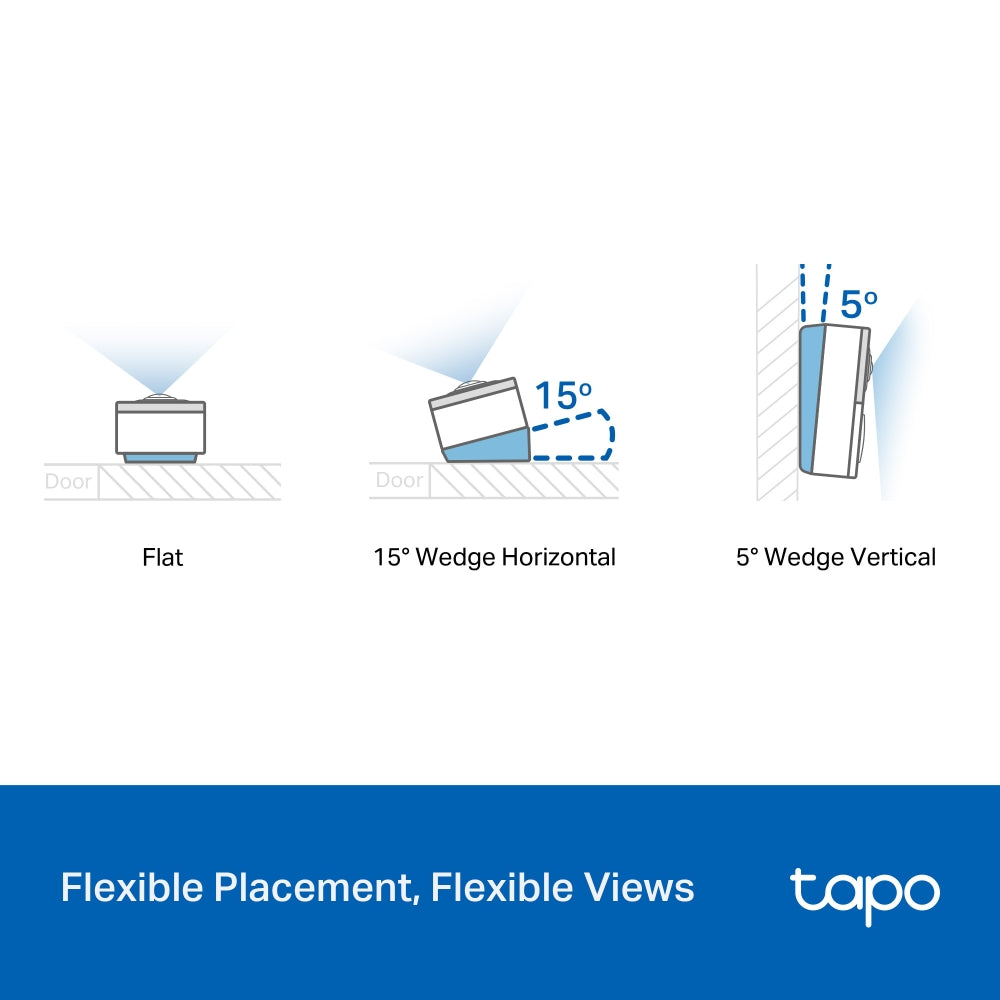
Use the mounting wedges to adjust the views for different scenarios. The 5° vertical wedge can even help you receive complete pictures of your packages on the ground.

  • button

    Flat

    arrow
  • button

    15° Wedge Horizontal

    arrow
  • button

    5° Wedge Vertical

    arrow
 
15° 15°
5° 5°
button button

Multiple Ways to Answer

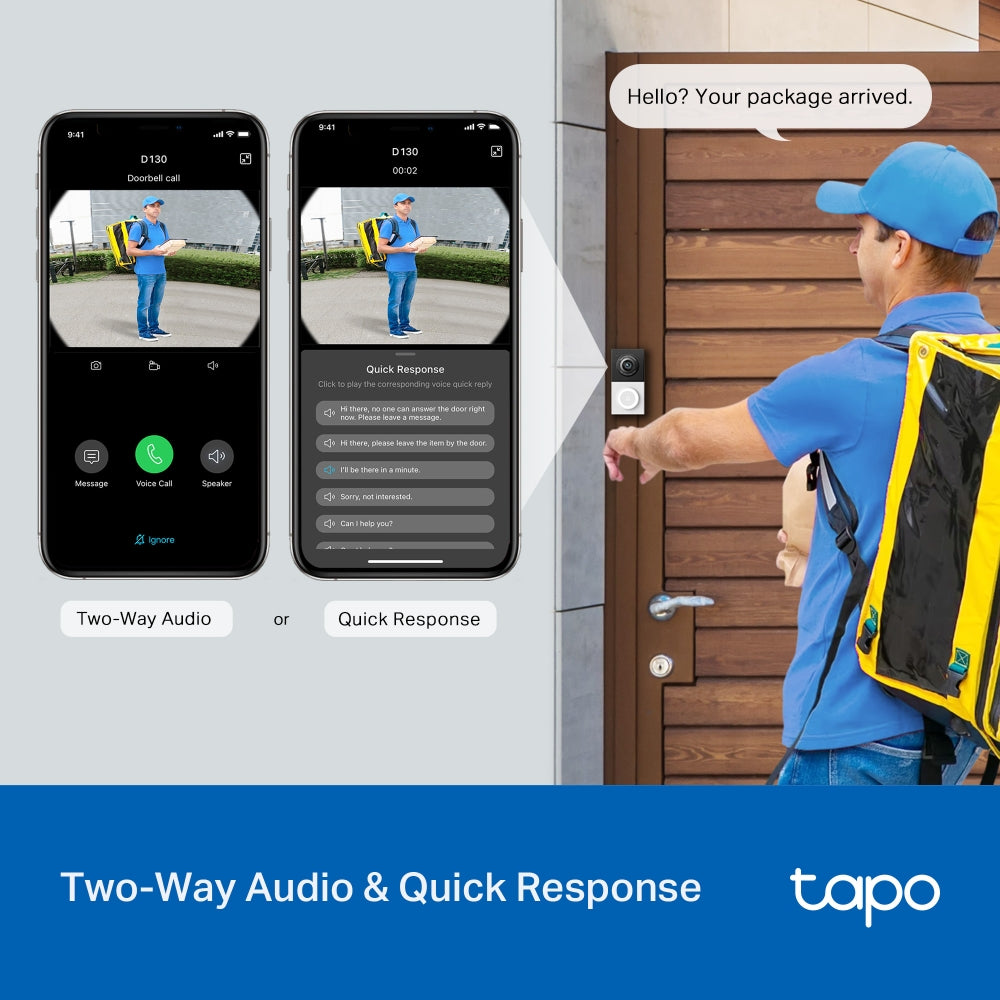
With two-way audio or a recorded quick response, communicate directly with your deliveries through the Tapo app.

Hello? Your package arrived.
Two-Way Audio Or Quick Response

Always Know What’s Outside Your Door

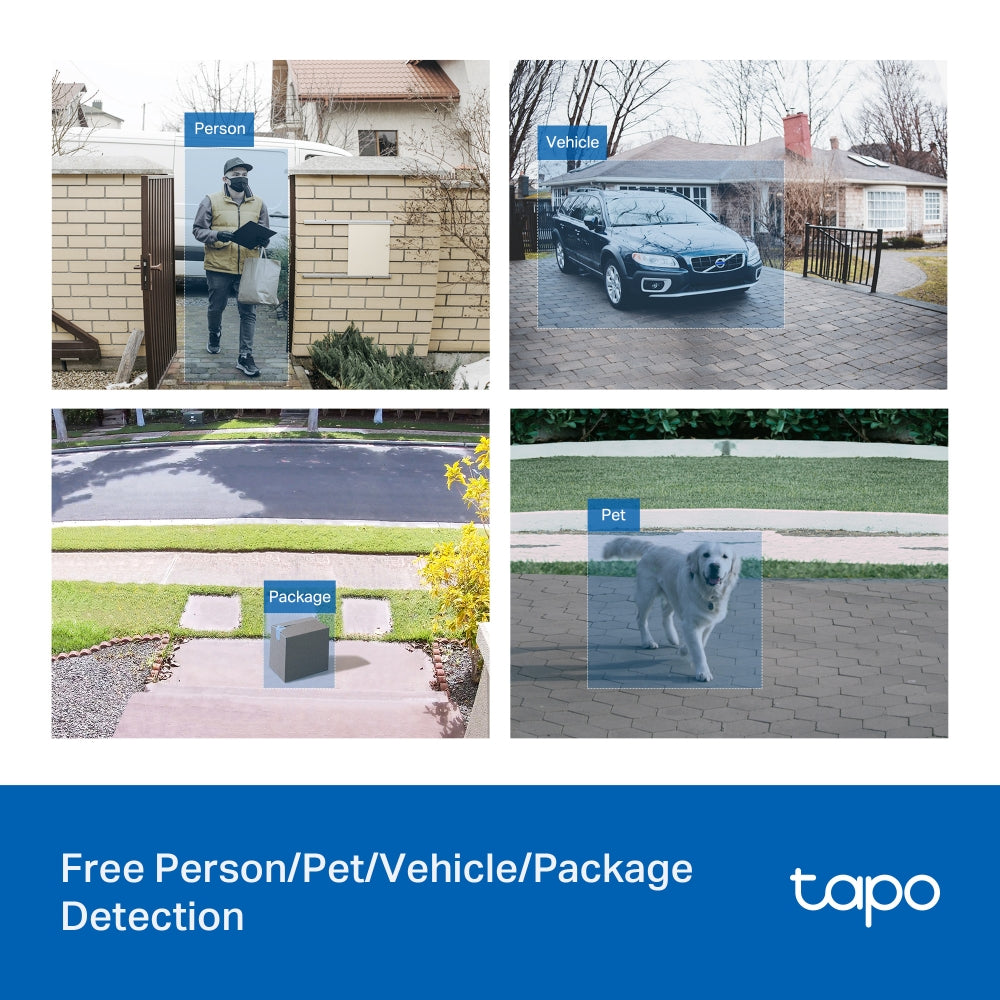
Receive instant notifications and check live views from the Tapo app when powerful AI identifies motion, a person, a pet, a vehicle, or your package.

  • h-1 Person
  • h-2 Vehicle
  • h-3 Package
  • h-4 Pet
i.png
Up to 512 GB

Secure Local & Cloud Storage

Save recorded videos to a microSD card†(up to 512 GB) or by using Tapo Care** cloud services.

  • i1.png

    Enjoy 24/7 continuous recording and playback with a microSD card (up to 512 GB, equals to 390 hours of 2K 5MP footage).

  • i2.png

    Receive rich notifications with snapshots, encrypted protection, data backups, and 30-day video clip history with Tapo Care** cloud services.

    **Tapo Care cloud storage services require a subscription. A free trial for the first month is provided.

j-icon-1

IP65 Weatherproof

Help Tapo D130 perform well even in harsh environments with rain and dust.

 
j-icon-2

Indoor Chime Provided

Choose from a variety of ringtones to get alerted immediately when you are at home.

 
j-icon-3

Activity Zones

Set your own detection areas to keep an eye on what matters most.

 
j-icon-3

Easy Hard-Wired Installation

Follow the in-app instructions to install your video doorbell and chime quickly.

Download the Tapo app and follow the in-app step-by-step instructions. Install the doorbell and plug in the indoor chime. Enjoy! the qrcode to download the tapo app
<p>Earn%20[points_amount]%20when%20completing%20this%20purchase.</p>
  • 5 stars: 12 (60%)
  • 4 stars: 6 (30%)
  • 3 stars: 1 (5%)
  • 2 stars: 0 (0%)
  • 1 star: 1 (5%)
C
Cory
Please read to avoid possible confusion with install instruction!s

Amazing picture quality! Im very happy with the cameras quality, including the picture/video quality! Even at night time, I can zoom out to my neighbors across the street, and see details in their stucco clear as day!My only gripe is this, and I hope to save at least one person a big headache! The instructions are a bit misleading in terms of connecting the jumper cable. As seen in my two pics, it says to "take a picture in case you want to reconnect them in the future". That gave me the impression that you have to remove the 2 original wires, then connect the jumper. YOU NEED TO KEEP THEM BOTH CONNECTED, as well as connect the jumper wire! I even taped and wrote "trans" and "front" so I'd remember in the future if I ever needed to change it, which was also a waste of time. Other than that, very simple to install, and only takes 10 mins tops.I would have given a 5 star rating if it weren't for me wasting more time and money upgrading my 12 volt transformer due to the confusion......

L
Liz
Works great but picky about the microSD card

Got my second doorbell for another property. Doorbell itself works great, once wired with existing doorbell wires, it records 24hrs(with option to record detection/time only etc). My only and biggest complaint is this doorbell camera is very picky about the SD card. All my existing microSD don’t work with it. I have 5 spared microSD, either work for a short period of time, then the error messages. Some just don’t get recognized at all. They all work fine with other cameras. I had to purchase one from Tapo list, which cost me extra. It’s been 10 months, So far with no issue. Only reason I came back to this Tapo camera buy another one is because I brought two of these microSD(on sale and for free shipping) With right SD card it works great, if you are intending to use your existing microSD, be sure check the list first. Otherwise consider the extra cost the buying.

L
LW
A Good Budget Video Doorbell Camera

I have been searching for a video doorbell which is simple enough for a senior, not very handy person to install without fuzzing around too much especially with my present transformer that comes with my 3 year old house.Got this installed this morning with my husband's help.First of all, bypassing the existing electrical chime was not difficult as I followed the Tapo App.Very lucky that the 2 holes of my old doorbell align with the D130 so there was no need to drill new ones but just need to enlarge the holes a little bit for the anchors.As some reviewers mentioned, the space left for the wires to be tucked in is quite limited even without using extension wires !! Snapping the doorbell onto the bracket is a bit challenging.Followed the app using my home WiFi for the connection of the doorbell but it kept saying that it didn't connect. It took several attempts to complete such. Connecting the chime was a breeze.So far good with person and parcel detection.Downside is: I can't delete the individual video clips.The only way I can do this is to download the clips first then delete it or to format the micro SD card via the app.Will see how long it can withstand our Toronto weather.Update on July 21, 2025After using this doorbell for a week, the image and video recording all of a sudden has turned pinkish since July 19 in auto and day mode. Night mode is OK.Emailed TP- Link support and followed all the steps provided by the AI reply since it was on the weekend. Nothing worked. Rebooted and reset a few times as well.I have to return this faulty one to Amazon and re-purchase the same model as I really like the easy set up plus to meet the voltage of my transformer. I hope the new one won't give me such headache again therefore have to remove 2 stars!!

B
Brendon
Ring, Eufy, etc. who? Tapo is the way to go.

I couldn't decide over the Ring, Eufy, or this, but I ended up choosing this one and I don't regret it at all. Both Ring and Eufy have more features locked behind subscriptions and many reviews stated they weren't as reliable as Tapo D130. If your current doorbell is wired I would consider this the best solution. Battery can also work, however it can be a little more finicky with the setup and maintenance requiring battery changes. For the Tapo D130 the price is very reasonable and even with purchasing a microSD card it can often still come out cheaper. The setup was very straightforward as long as you follow it step by step.NOTE: You cannot manually delete videos that are recorded currently. In the app the only option is to format and erase the entire MicroSD, or when it's full it will automatically start overwriting the oldest videos. I haven't found it to be a problem yet, but it would be a nice feature to have to auto delete weekly/monthly or custom days instead of having to format it just to delete a single video.Some important points while installing it:NOTE: Make sure the power for the doorbell is OFF at the Circuit Breaker before installing the jumper wire, inserting the microSD, and replacing/installing the new doorbell in the right spot correctly.1) Transformer Jumper Wire Install (See photos)- Thankfully on our Circuit Breaker the Doorbell was labelled so it was easy to find and switch off. After installing the jumper wire, microSD, and doorbell, you can switch it back on again.- The instructions when installing the jumper wire in the transformer box is a bit misleading since it shows 1 wire not all the way down. The setup in the photos is for a front door setup. You may need to put the jumper wires infront of other wires if you have a backdoor or different setup.- Make sure the jumper wire is infront of both transformer wires and that they are both on the correct paths, all the way down, and that the screws are hand tightened just enough.2) MicroSD Card for Local Storage- I recommend to get a high performance MicroSD card the same time as purchasing this. (256-512gb is ideal)- The one I chose is: SanDisk 256GB High Endurance Video microSDXC Card- Insert the MicroSD when it is not powered on, and before you finish installing everything or you will have to take it apart again to insert the card3) Doorbell Camera / Chime Setup- Just make sure it is on the same Network as the Doorbell- Also getting a Wifi Extender might be a good idea if the camera quality is poor, slow, or laggy4) Angled Mount (15 Degrees)- I'd recommend the horizontal 15 degree angled mount if you install it in a similar way like the photos, so it can be more focused on the area in front of the door- There is another option to install a separate 5 Degree downward angled mount specificially for packages as well.5) Device Settings- To access the settings for the doorbell tap the Gear Icon in the top right when viewing your doorbell.6) Setting - Device Info - Time Zone- The Default Time Zone it was set to was 1 hour behind, so I changed it to UTC-04:00 (America/Carcas) to match my current Canada Time Zone. You may have to try other Zones if you want to have the Time Stamp on the videos on, and to be accurate.7) Setting - Video & Display- If you find the video to be laggy or slow I recommend getting a Tapo Deco Mesh System like AX3000 or other similar WiFi Mesh System, or Extender if the signal for your router is weak because it's at the front/rear of your home- Even without this doorbell it improves the signal greatly in the house with 1 router/extender on each floor of the house mainly in the center areas- You may be able to get away with it by reducing the quality from 2k 5MP to 960p or try Auto, but personally I prefer to have the 2k 5MP higher resolution for recordings/live view for security purposes- Frame Rate is very important as well and I would recommend the max setting of 30 fps which records a more smooth and fluid recording or live video7A) WiFi Extender Settings (Optional)- If you have a modem that has a built in router and get the AX3000 or similar system to extend the WiFi make sure your Modem is set to Bridge Mode by going to it's config page using the default 192.168.1.1, 192.168.0.1, or 10.0.0.1 web page.- In Bridge Mode it will only send the signal to the AX3000 or other system.- Then in the Deco App or other WiFi app make sure it is set to WiFi Router not Access Point.- Also make sure that in the WiFi Settings, tap on the 2.4 GHz or 5 GHz Network, go to Advanced, and make sure to check both 2.4 and 5GHz to enable and use them both.- Most WiFi devices like your phone or computer will automatically change to the faster 5GHz if possible, or if not use the 2.4GHz connection (which the doorbell uses)8) Setting - Night Mode- I have this setting on Smart Mode for full color video/images even when it's dark out at night.9) Setting - Video & Display - Distortion Correction (ON)- Settings in top right gear icon- Video & ...


T
Travis B
Good like all Tapo products

This camera has been great. Handles the weather well, clear picture & sound.Tapo productive are good. I have another camera I used to monitor my dog when he was a puppy, also worked great.

M
Mel
No subscritption

Love Tapo stuff

B
Bryan Schneider
Great Video Doorbell

Easy setup and install, great app and software. Doesn't rely on cloud for storage and hard wire is great so no batteries to drain and recharge all the time. Great picture quality and feature set. Highly recommend for the price point.

I
Isabelle
Très satisfaite

Fonctionne très bien. Super produit.

P
Port Moody Reviews
Love Tapo!

I have two of these installed at my house as well as a couple of their other cameras both indoor and outdoor and I like all of them. Their app is great too and it's free to use which is a plus.

J
Joseph Kayne
Easy Installation, Great picture quality.

Easy set up. Fantastic field of view. Had this installed and working in less than 15 minutes. My only regret was I didn't install an SD card prior to my hooking it up. Learn from my mistake. Do this BEFORE connecting the wires and mounting the doorbell camera. You'll thank me. The app is simple and laid out sensibly. The app walked me through every single step I needed to install this Doorbell camera flawlessly. 10/10 for me.

Z
Zainab
Good product

Pretty small in size but does the job, app is easy. I personally don’t like the SD option I’d do the could version and that’s an upfront payment of $55 a year so about $4/month

A
Al/ez
Good value

pretty easy install with all hardware included ,app is very functional and user friendly with minimal grief signing on once installed picture is nice and clear and you can reconfigure the fish eyed lens thing into a more orthodox view ,so far so good but make sure you have good wifi signal in the location to be mounted and follow instructions to the word

J
Jay
Thanks TP link to supprot RTSP

App is little sluggish but loved the fact that it is allow the RTSP stream so that I can use it in any other CCTV software

h
history buff
Great doorbell camera - liked it so much I bought another one for the side door.

This camera has everything I was after:- Quality video, not terrible but not amazing I'd say.- Coloured night vision- 24/7 recoding which can be paired with 512 GB micro SD card (Card not included)- AI detection, it will send me notifications with different events such as: Car passing by, person at front door etc. (You can set the sensitivity on each indivual event for example if you live on a busy street and don't want constant notifications about cars passing by like I am.)- Works with Alexa, someone rings the doorbell, it will play through my whole house and Alexa will say "Someone is at front door"- Instant alerts, no delay from the time motion is detected.- Pre-recorded event, it will start recording a few seconds before motion is detected.- You can set a custom response everytime someone rings your doorbell that can be played instantly or delayed and yes . . you can record your own voice so you can have a lot of fun with that.- Doorbell rings can be set at a voice call to your phone.- You can delete the events on the app ( I think I read somewhere that people were not able to delete these which then would cause your SD card to fill up - you can)- Cost of cam- Best part , no subcriptionCon- Notifications do not show an image of the event, you have to open your phone to look at the events. I didnt have a problem with this as you are still can still watch the recorded event once you open the app and again it can also be set to 24/7 recording. If you wanted those notifications with an image, you can pay a yearly sub of around $25.00 CAD. . . for me its not a big deal but when I tried out a Wyzze cam, it wouldnt even let you watch the events unless you had a subcription - that was a return.Oh, as for nighttime recording. I like that you can set the ring light to stay on which will help with capturing night time recording.

S
Sheldon
Good quality, good support

The camera itself works very well. The quality for the price is also amazing. I did have issues after about 3 months of use, my camera lost connection and I kept having to reset it to reconnect it. After a while it stopped reconnecting. Support was somewhat helpful and ended up sending me a new one.

A
A. Patulli
Best overall value for wired smart doorbell D130

Honestly didn't expect much. I have had nest hello since 2019. Bought this on sale and don't regret it. Let's see how it withstands Canadian weather....Pros:Good valueNo subscription feesEasy installationGreat form factor not very bulky has all other options on marketGreat video quality, day and night time (colour)Fast notificationsAbility to receive call and answer doorbell on cell phone, instead of opening app and clicking video feed and then microphone2 way recordingEasily connect to Tiny cam proAbility to connect to smartthings (access motion trigger for automation)Ability to play live feed with voice command on Google home tablet.Ability to receive notifications on Google home products (Google mini and hubs)Comes with chime, different ringtones availableTamper notificationYou can adjust led colour around button and intensity through tap app, a nice touchIntegration with home assistantCons:All plastic, but well made. We will See how it will withstand extreme temperatures in Canadaon long run.Had it for 2 weeks on a mesh network, and wifi doesn't seem to like this. Signal is between -54 to 60 RSSI. Which is average all my other switches near doorbell or even ones 15 feet further in backyard has a better Wi-Fi reception than this doorbell I set LED light colour when it detects persone. I works for a few hours but then turn solid amber. Everything still works fine but I need to reboot doorbell for colour of led to come back. There is an automatic reboot function in the settings ..but it's pretty annoying. If you get it on sale it's worth it.To remove doorbell you can see pin hole on the top...better placement would be under the doorbell so it's not visible.When doorbell is pressed it will not open up directly on Google home hub. Google locked it down for every doorbell that isn't Google. You need to say voice command to show live feed, not a deal breaker.On Amazon show tablets there is a way to automate things so when video doorbell is pressed you can see live feed automatically.

J
John T
Be careful!

Have Tapo security cameras so thought these cameras seemed a good choice. Five months later got another for our back door. Big mistake, not long after started having issues with the cameras going offline. They would go offline after a power failure. It's a pain in the *** to get them working again!About 6 months later they went offline again. Normal attempts to get.back online didn't work. Turned out transformer was dead.So I replaced the transformer, it lasted 30 minutes! Researched it and found that a 30 va transformer would be best and the cameras would be more stable.So I replaced the burnt out smaller transformer with the 30 va., it lasted 4 hrs.!I researched it and the only thing I could find is that the camera(s) caused the transformer to blow!Nothing has changed regarding wiring, so it appears the cameras are at fault.I reached out to the supplier, they didn't seem to have a good grasp on power needs etc., their specs on Amazon stated it needed 220 volts! Like, what??Be careful, might be okay of you just have one camera. Nice camera, too bad.POOR SERVICE AND DON'T STAND BEHIND THEIR WARRANTY! STAY AWAY FROM THIS CAMERA!

J
Justin Charmander
Better Than Ring Pro – Finally, a Smart Doorbell That Just Works

I’ve been using the Tapo D130 for a few weeks now, and I’m honestly blown away. Coming from the Ring Pro, I didn’t expect such a big upgrade—especially at this price point.- Notifications are fast and accurate. No more delays or missed visitors like I had with Ring.- Video quality is excellent, both day and night.- No subscriptions required. This is HUGE. Local storage with the SD card just works.- Setup was super easy and it integrates well with Alexa.I didn’t think I’d ever switch from Ring, but this doorbell changed my mind. If you're tired of paying monthly fees and want something that’s reliable out of the box, this is it.Highly recommend!

P
PR
Wayyyyy better than the Ring Doorbell!

This doorbell camera is amazing. It has an incredibly large field of view and the video quality is excellent (better than my previous Ring Doorbell). The best part, there's no need for a subscription (although this is optional of you'd like cloud storage). It allows for 24/7 continuous recording if you insert your own micro SD card in the back, or you can schedules times when it will record continuously and set other times where it only records during motion.It also has the ability to use colour night vision or infrared black and white night vision. The other great thing is that you can make the led turn on bright white when someone triggers motion (almost like a mini flood light). This can act as a deterrent for porch pirates as they will see the led light up and it may bring their attention to the camera.You also have the option to set the doorbell to call you via the app when someone presses the button or set it to a banner notification instead. And the included chime is very loud for such a small device and has different ring tones and volume control. It works very well , and is actually louder than my home's original doorbell.If you're looking for a great camera with a field of view that literally shows you the floor mat (yes it's that's wide!) and will not break the bank, this is it!

B
BDizzle
Great upgrade from Wyze

Got tired of Wyze taking away or not supporting features (rtsp was the biggest)Started looking around at what was on the market, had wayz stuff since launch so figured there must be better out there now..Came across some reviews and forum posts about tapo cameras and they sounded promising.. as it turns out my brother in law had just purchased a couple of their indoor cams and he liked them so next time I was at his place I took the app for a spin.. in all honesty it's pretty comparible to wyze...This was enough for me to try the doorbell , the tapo d130 was a nice upgrade pretty much upgrade all around.One thing I didn't like is you can't purchase another chime, I wanted one chime for the upstairs suite and downstairs suite..... I was able to place it between the suites and it is loud enough.It can also call your phone or home assistant devices when the doorbell is pressed so not an absolute deal breaker but they should sell secondary chimes.You can buy a tapo hub and use that as a second chime if needed...ProsRTSP (can record to pc or nas)Price cheaper than wyzePicture clearer in both day and nightConnects way faster (wyze has delay)Can use sd card no subscription required(Wyze doesn't need subscription but they lock certain features if no sub)ConsNo extra chime availableNo ethernet option must use wifi (expected but would be nice to have)Would be nice to have a sharper angle wedge plate for install ..included one not enough angle in my case. ( or have stl file available so we can 3d print one :) )I liked the doorbell so much I purchased a c325wb and c320ws to replace teo of the front wyze cams.It may seem like i was picking on wyze but that's not the case they are alright for what they are, it's just they are no longer a great deal for what you payI'm glad I made the switch to the tapo'sNow if I could only find somewhere selling the tapo c720 floodlight camera I'd be set!